AI-powered vehicle intelligence

Your car has a voice. DrivIQ translates it.

Know what's wrong before the mechanic does. Know if you're being charged fairly. Scan codes, review repair quotes, check smog readiness, research parts, and keep every vehicle report in one driver-focused app.
OBD-II scan reports AI mechanic guidance Repair quote review
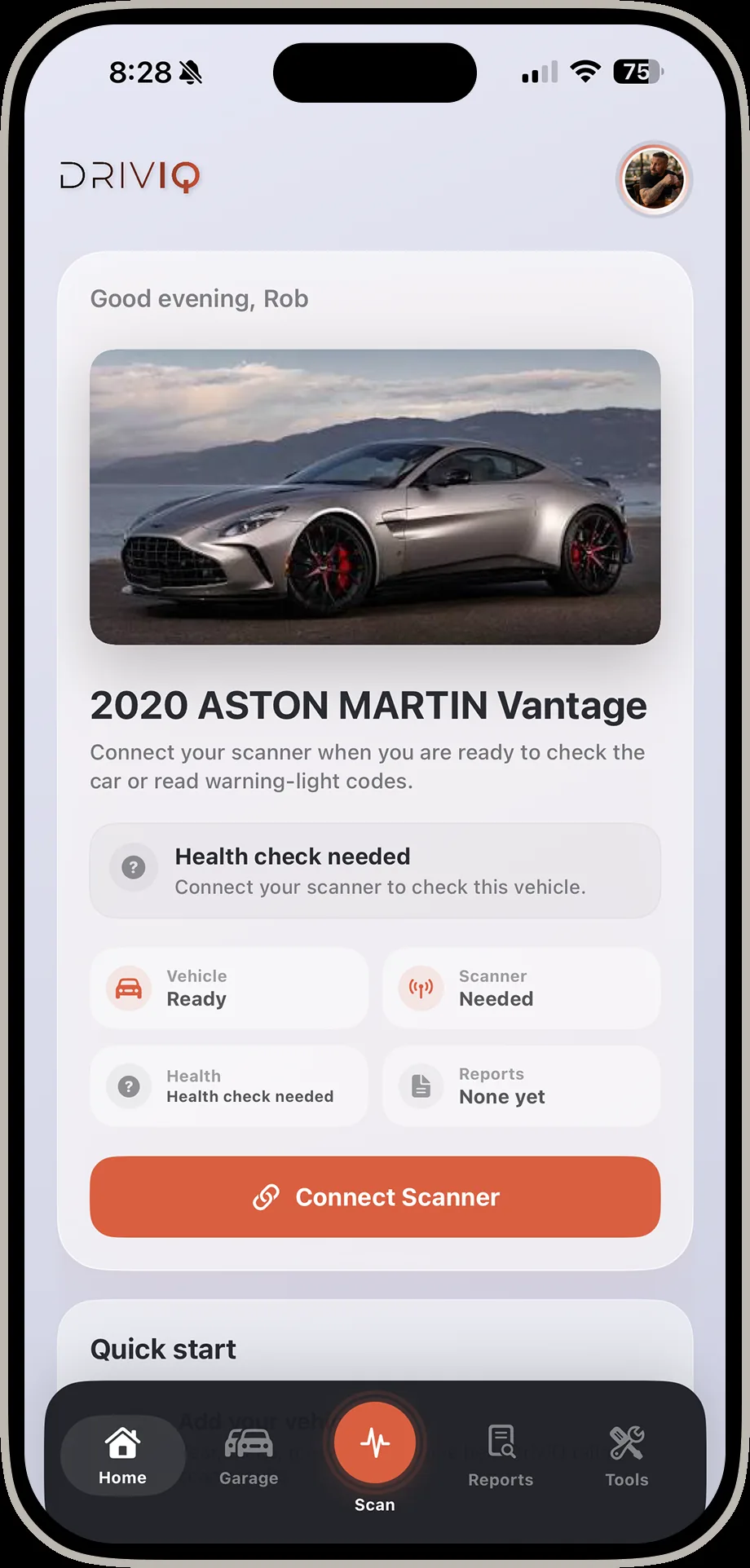
DrivIQ home screen showing a saved 2020 Aston Martin Vantage with health check status and quick actions
DTCPlain-English code explanations with likely causes and next steps.
LiveSupported real-time data from compatible Bluetooth OBD-II adapters.
QuoteRepair proposal review built for everyday drivers.
GarageSaved vehicles, reports, notes, and maintenance context.

Built for the moments when vehicle decisions get expensive.

DrivIQ gives drivers context before the tow, the repair authorization, the parts order, or the emissions test.

02

AI Mechanic

Ask follow-up questions in normal language and get practical explanations tailored to the vehicle issue you are trying to understand.

03

Fair Price

Review repair quotes with pricing context so confusing line items, labor assumptions, and parts choices are easier to challenge.

04

Parts Lookup

Research fitment-aware part context and reference information before buying the wrong thing or approving the wrong replacement.

05

Live Monitor

Watch supported live values like RPM, coolant temperature, speed, and readiness data from compatible OBD-II hardware.

06Coming soon

AR Vehicle Assist

Point your camera at the engine bay and let DrivIQ identify and track components in real time. In active development — not in the app yet.

Every screen, organized by flow.

Nine flows, real app screens, zero renders. Open any category to see it end to end.
HomeThe screen you land on every time you open the app.3 screens
DrivIQ home screen showing a saved 2020 Aston Martin Vantage with health check status and quick actions
Home Every saved vehicle opens to its live status the moment you tap in.
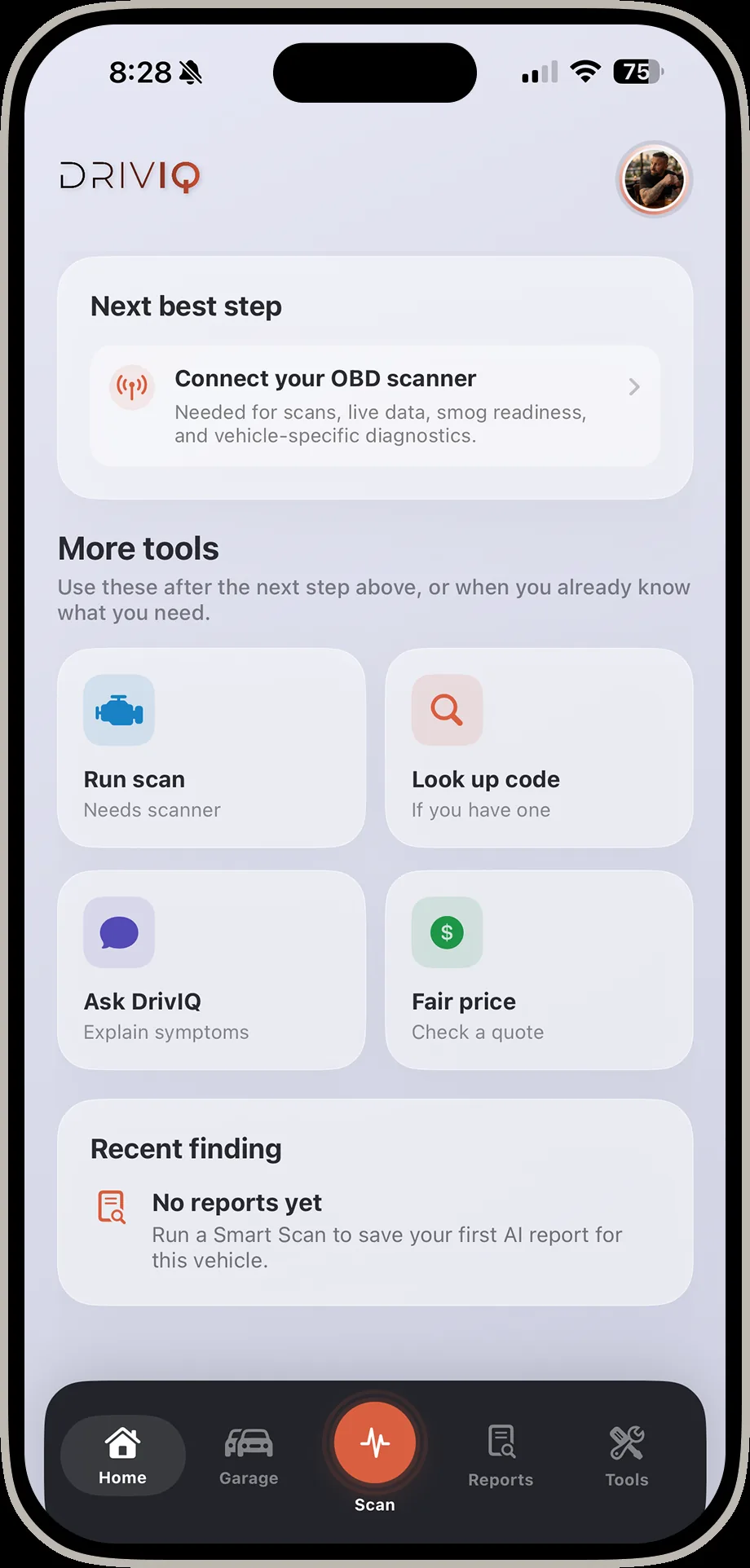
DrivIQ home screen showing next best step and more tools sections
Next best step DrivIQ always surfaces the single most useful thing to do next.
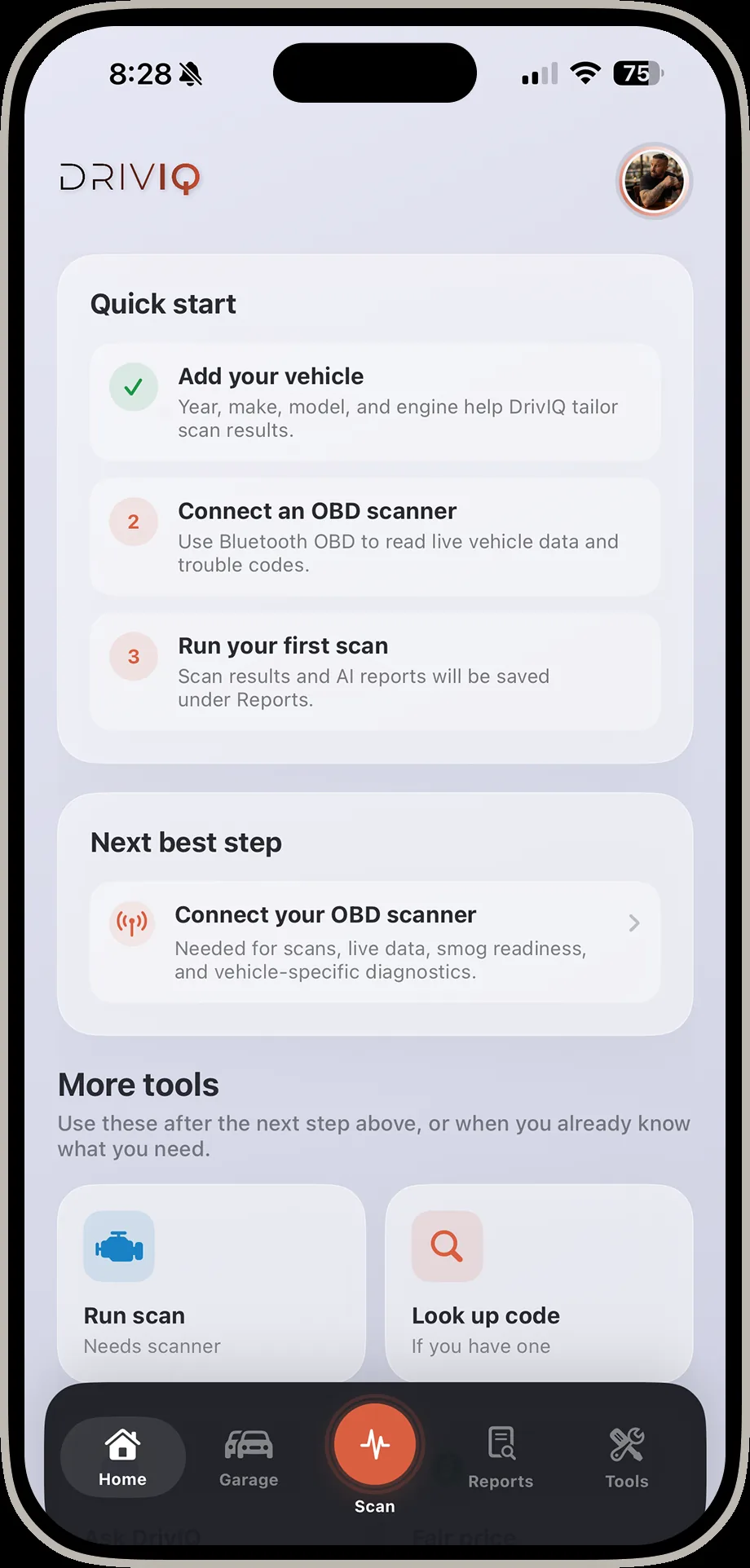
DrivIQ home screen showing quick start checklist for adding a vehicle and running a first scan
Quick start First-run guidance walks new drivers through their first scan.
Garage & Adding a VehicleEvery vehicle you own, and how fast it is to add a new one.6 screens
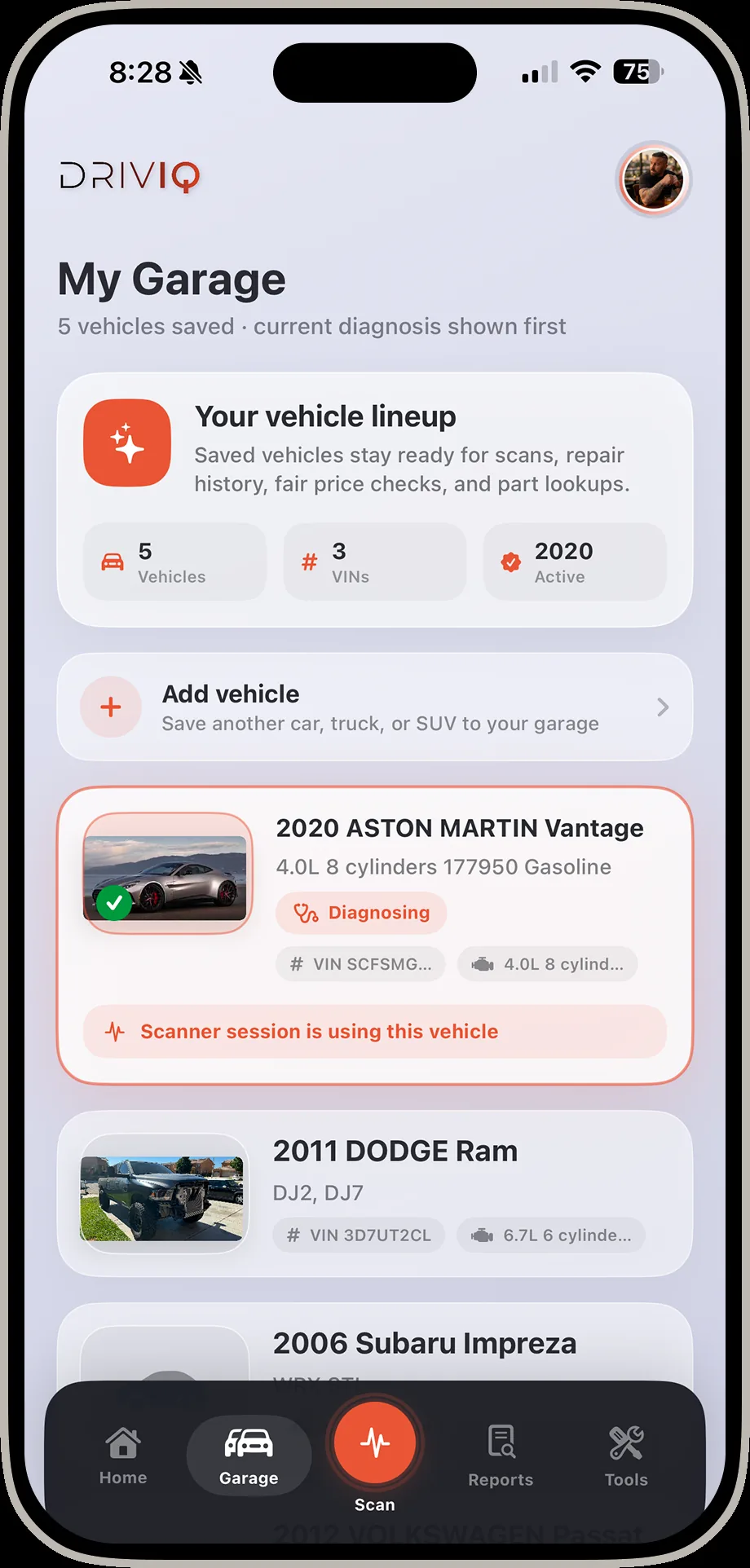
DrivIQ garage screen listing five saved vehicles including an Aston Martin Vantage and a Dodge Ram
Garage Every vehicle, VIN, and diagnosis history saved in one place.
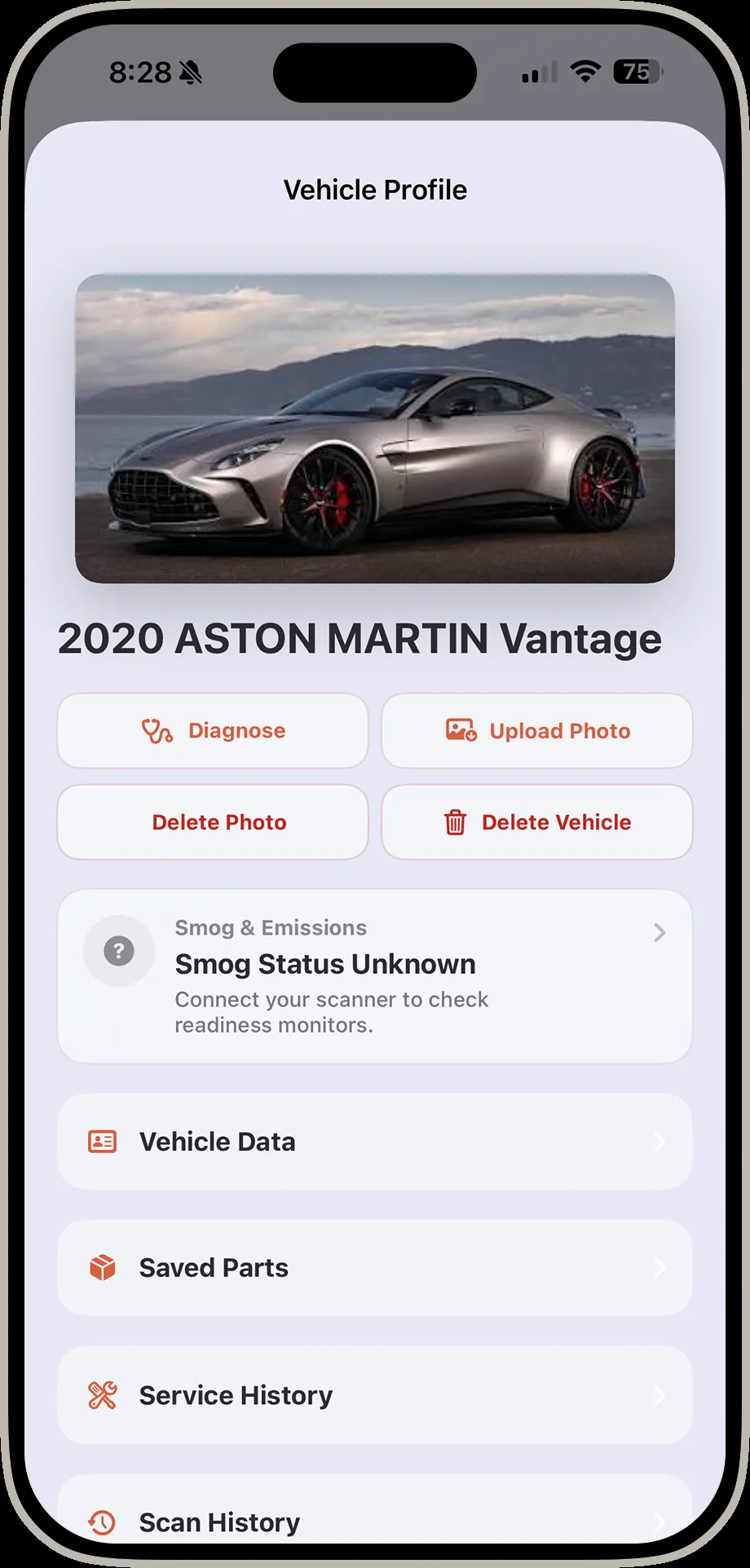
DrivIQ vehicle profile screen with photo, diagnose button, smog status, and service history links
Vehicle profile Photos, smog status, saved parts, and full service history per vehicle.
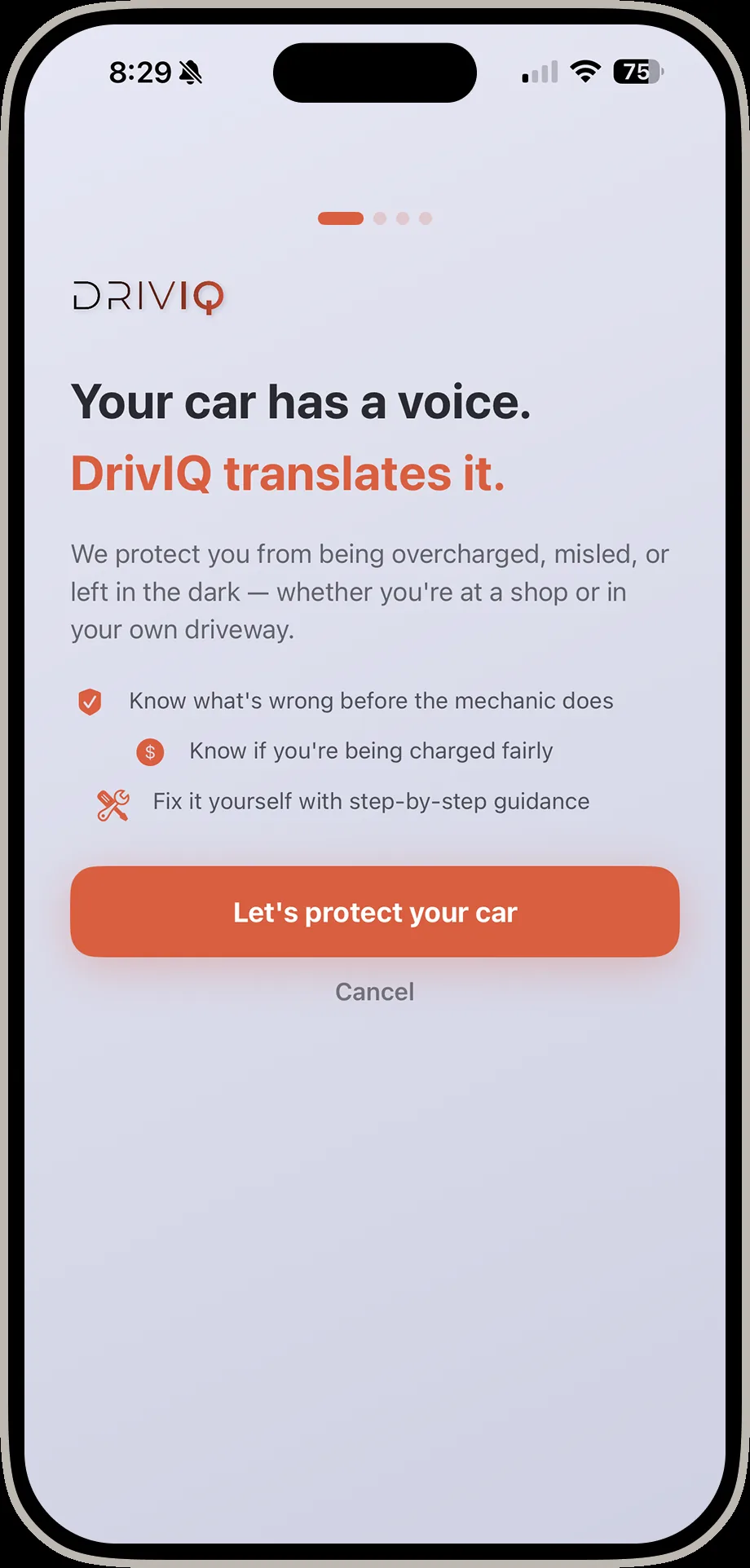
DrivIQ onboarding screen reading Your car has a voice, DrivIQ translates it
Your car has a voice Know what's wrong before the mechanic does, and if you're being charged fairly.
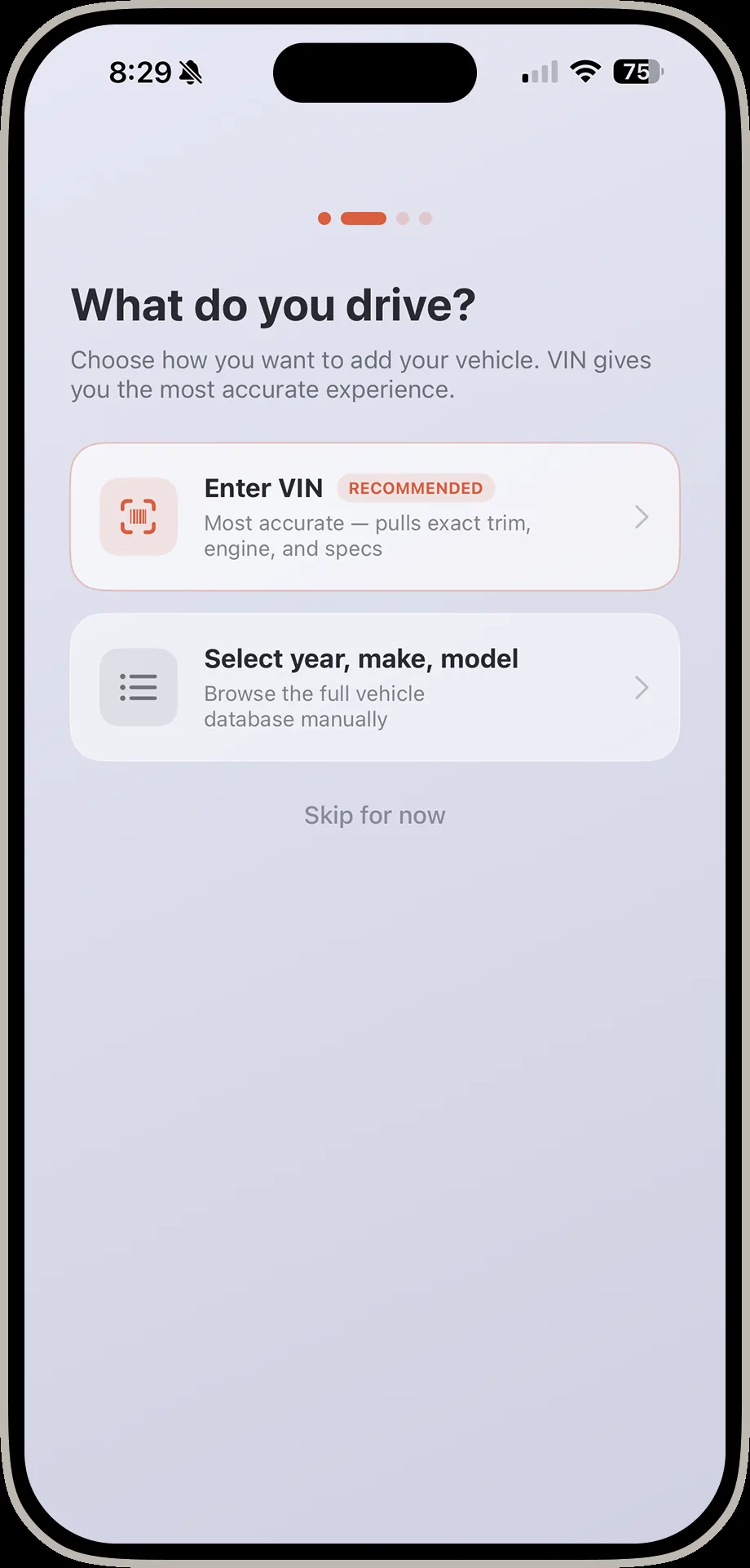
DrivIQ screen asking what do you drive with options to enter VIN or select year make and model
What do you drive? Enter a VIN for the most accurate match, or browse year, make, and model.
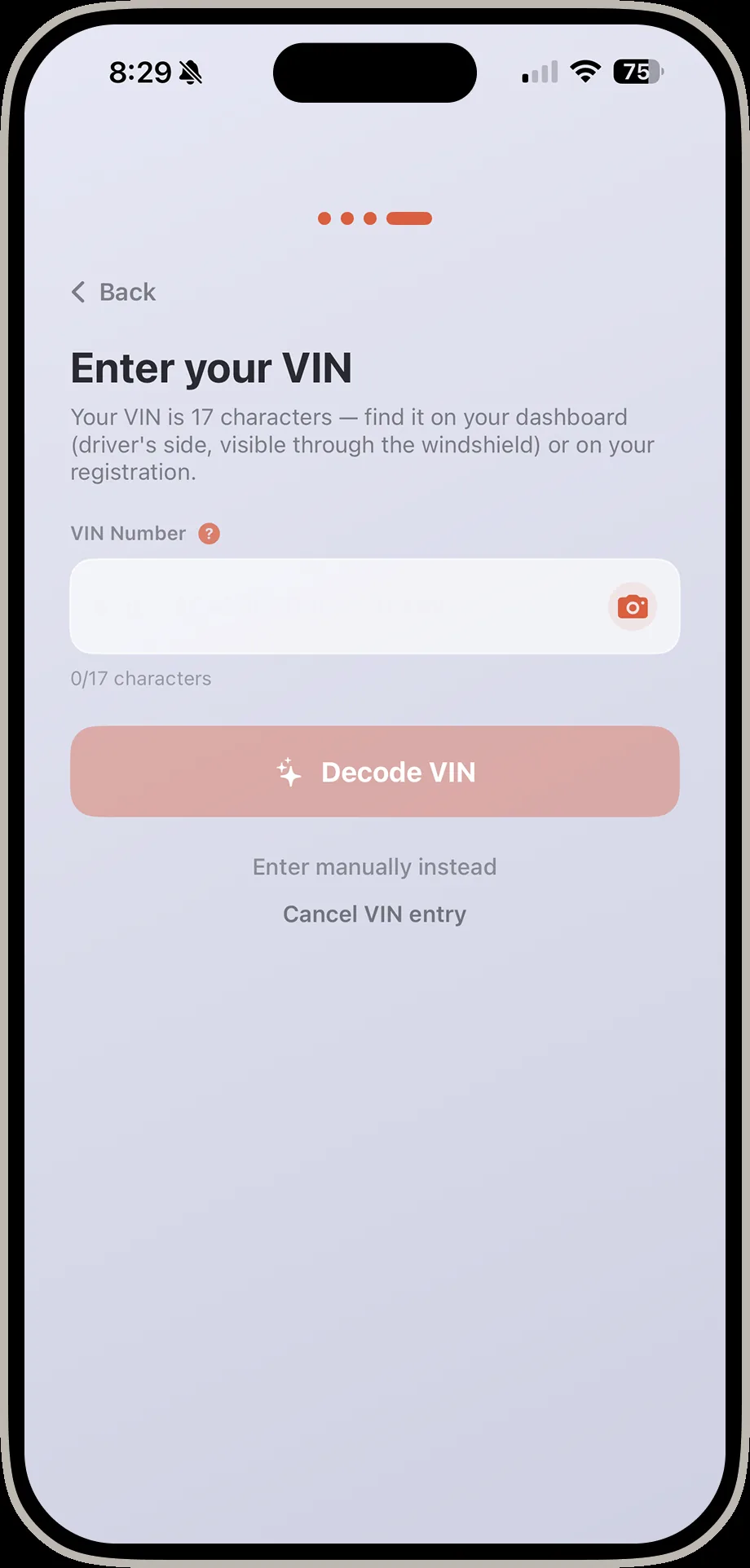
DrivIQ enter your VIN screen with a decode VIN button
Enter your VIN Scan or type 17 characters and DrivIQ decodes the exact trim and engine.
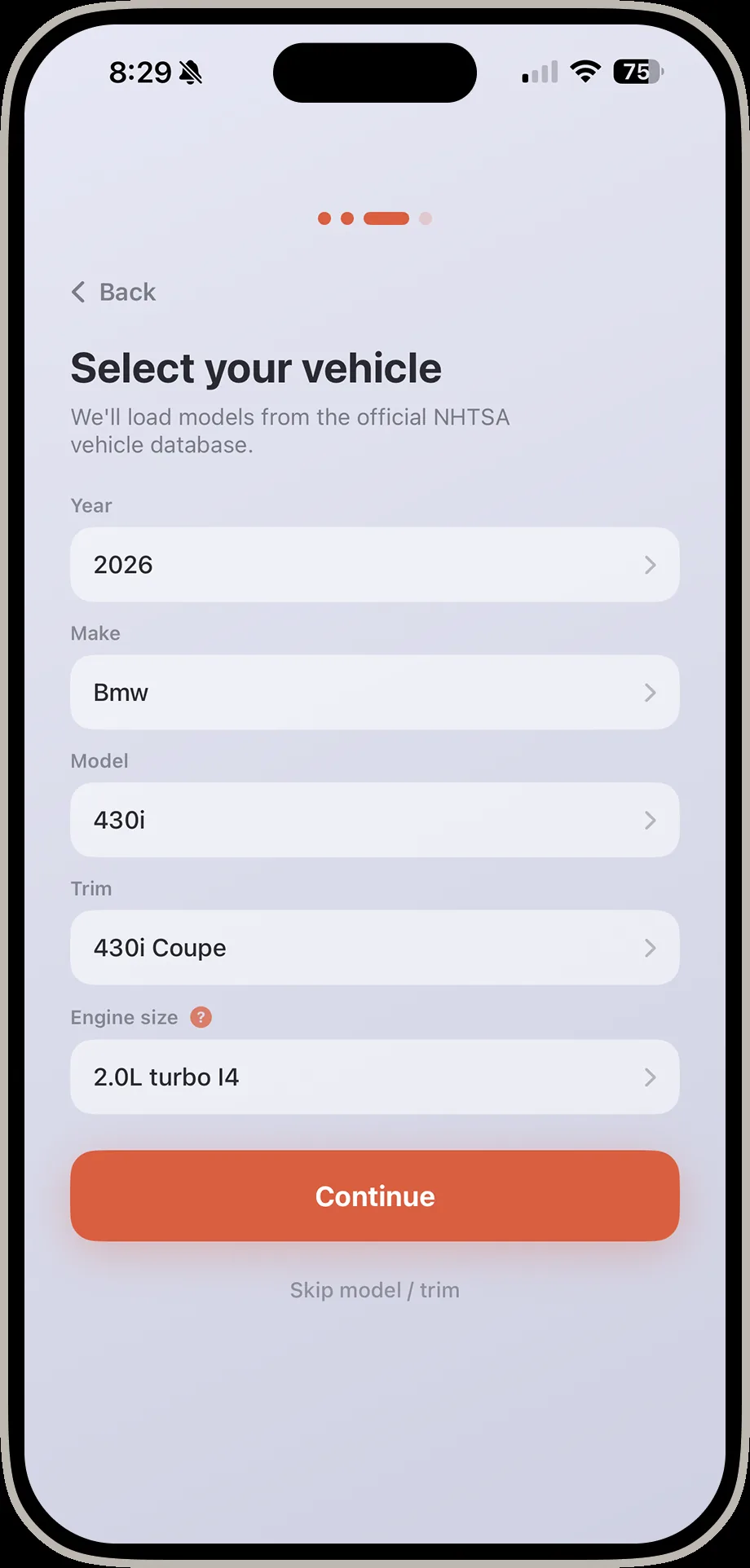
DrivIQ select your vehicle screen with year make model trim and engine size dropdowns
Select your vehicle No VIN handy? Pick it manually from the official NHTSA vehicle database.
Scan (No Scanner Needed)DrivIQ still works before you ever plug anything in.2 screens
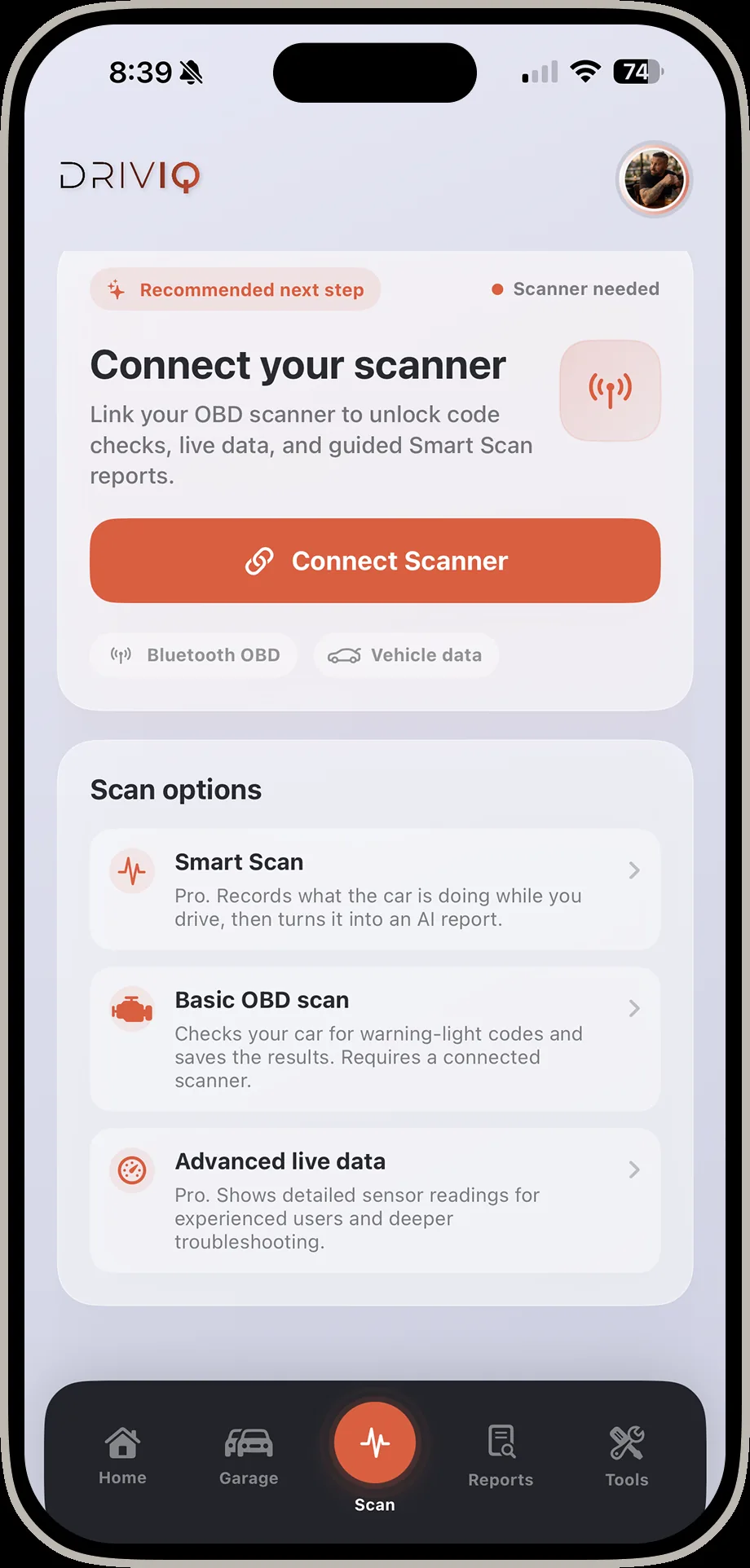
DrivIQ scan options screen showing Smart Scan, Basic OBD scan, and Advanced live data
Scan options Choose Smart Scan, a basic code read, or advanced live data.
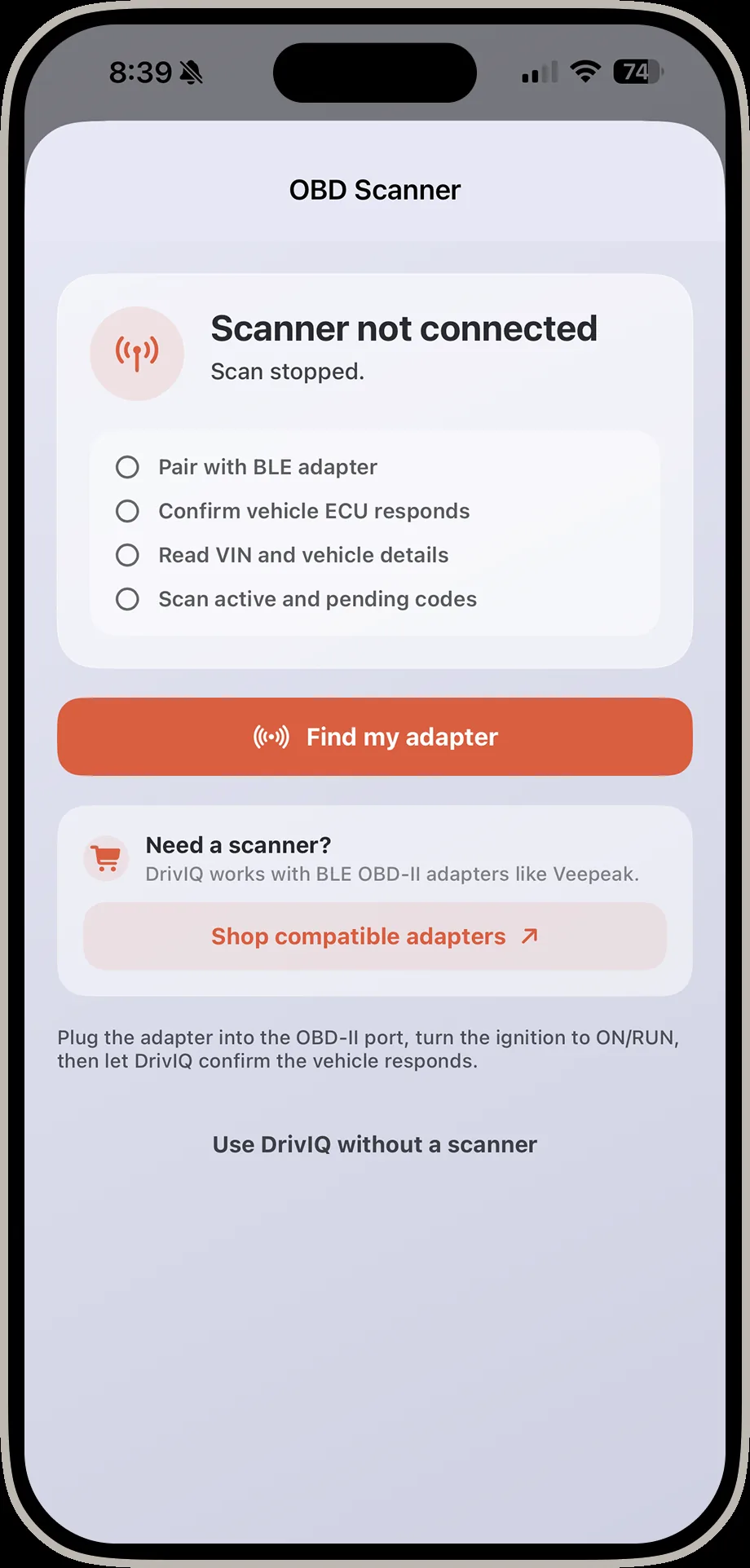
DrivIQ OBD scanner screen showing scanner not connected with pairing steps
No scanner connected Pair a BLE adapter in a few taps — or use DrivIQ without one.
ReportsEvery finding, saved and ready to act on.2 screens
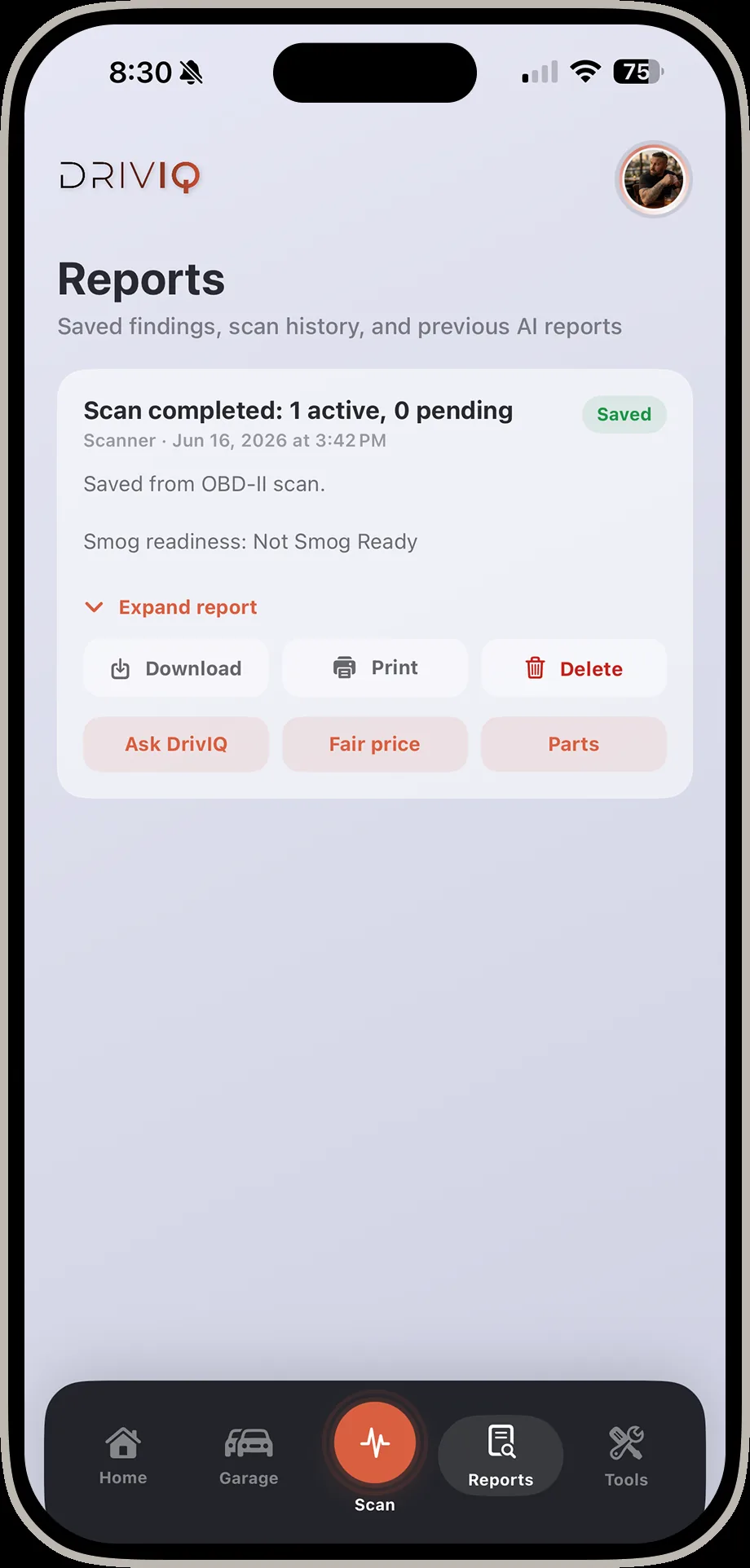
DrivIQ reports screen showing saved findings and scan history
Reports Every scan is saved with likely causes and next steps, ready to revisit.
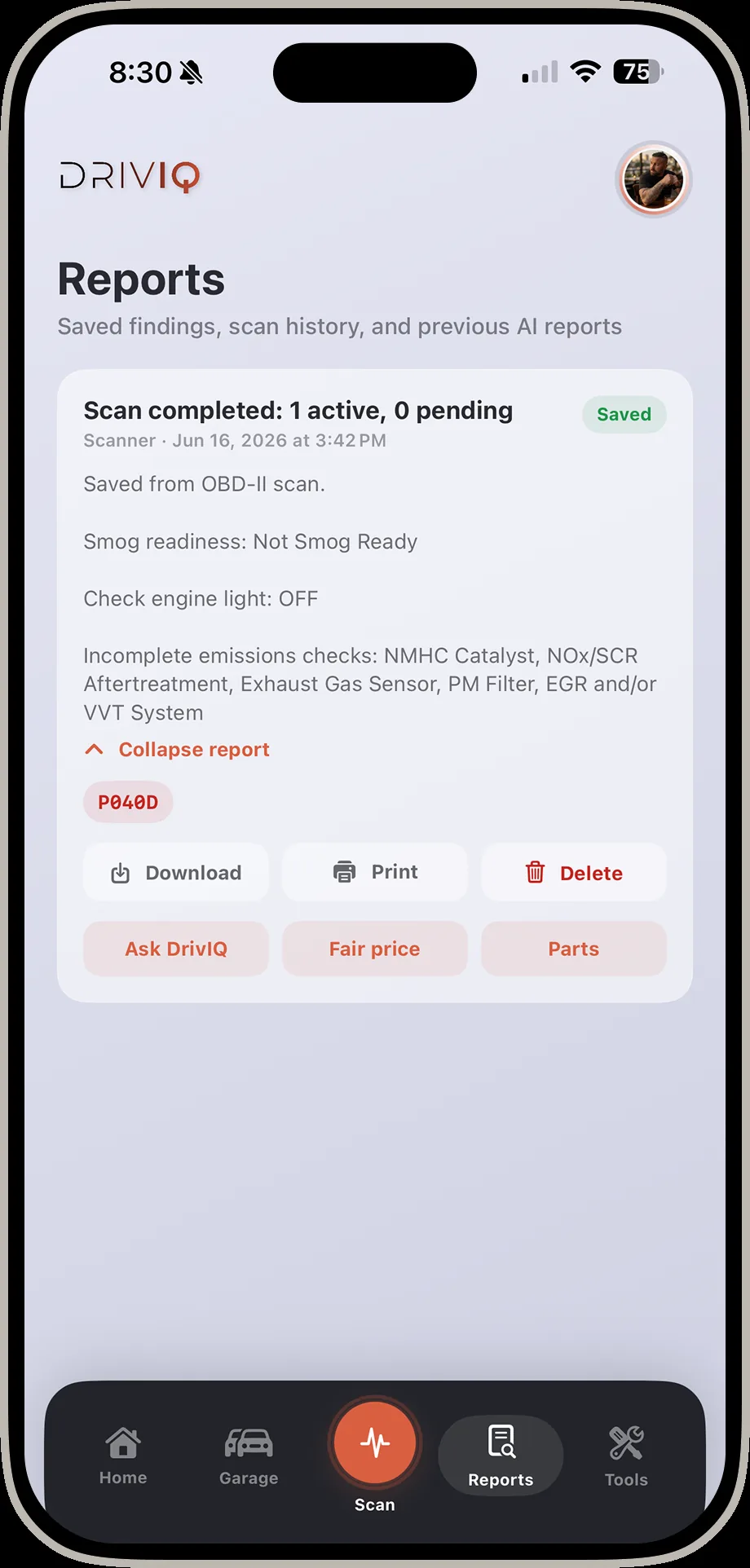
DrivIQ reports screen with a report expanded showing download print and delete options
Expand a report Download, print, or delete — or jump straight into Ask DrivIQ, Fair Price, or Parts.
ToolsEvery diagnostic tool DrivIQ offers, in one list.1 screen
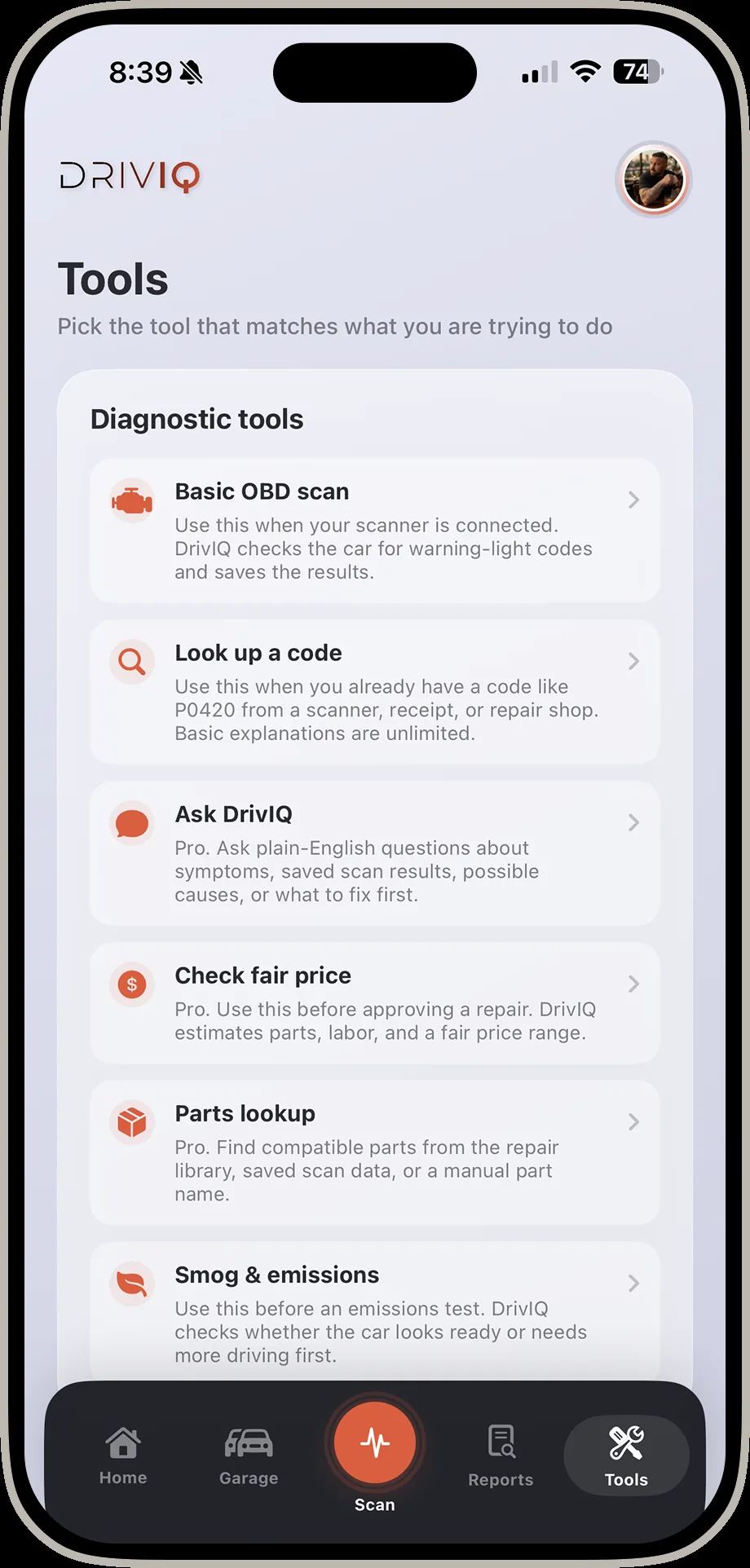
DrivIQ tools screen listing diagnostic tools including basic OBD scan, look up a code, ask DrivIQ, check fair price, parts lookup, and smog and emissions
Tools Organized by what you're trying to do — scan, look up a code, ask DrivIQ, check fair price, find parts, or check smog readiness.
Look Up a Code — Generic vs. Vehicle-SpecificThe same code, explained two different ways.4 screens
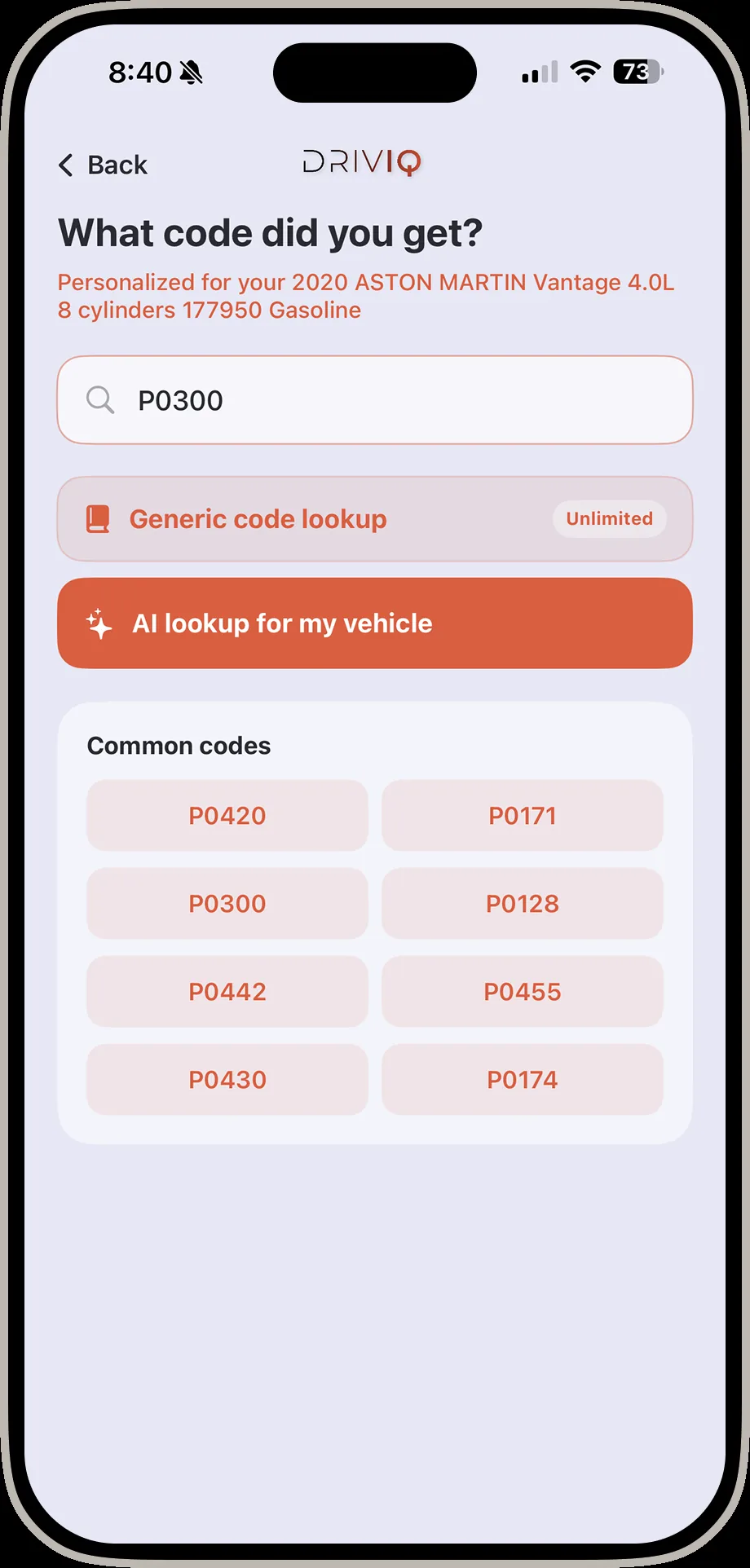
DrivIQ what code did you get screen with P0300 entered and common codes listed
Search a code Type any code, or pick from the common list DrivIQ already knows.
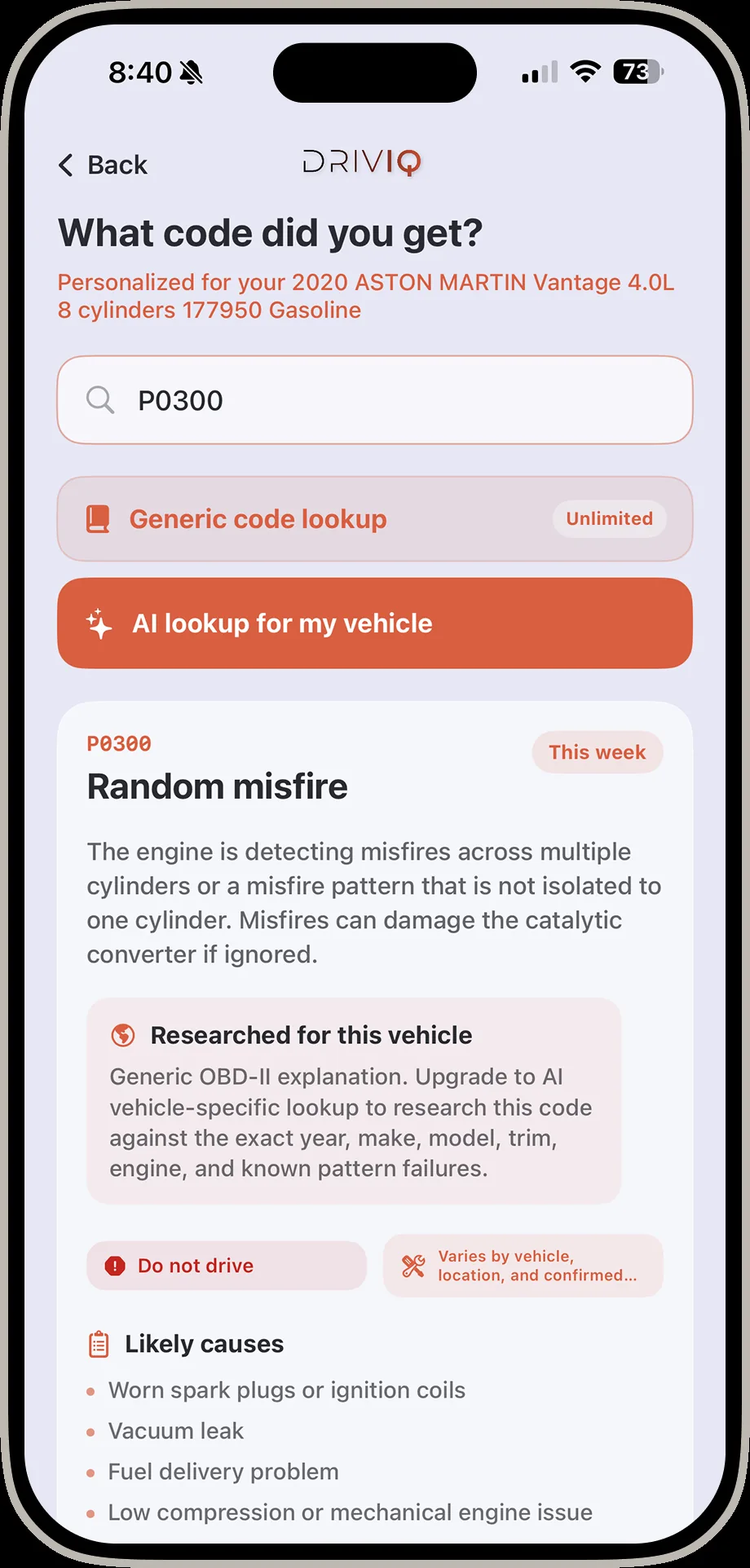
DrivIQ generic code result screen showing a random misfire explanation with likely causes
Generic lookup Free generic OBD-II explanation — the same one any code reader gives you.
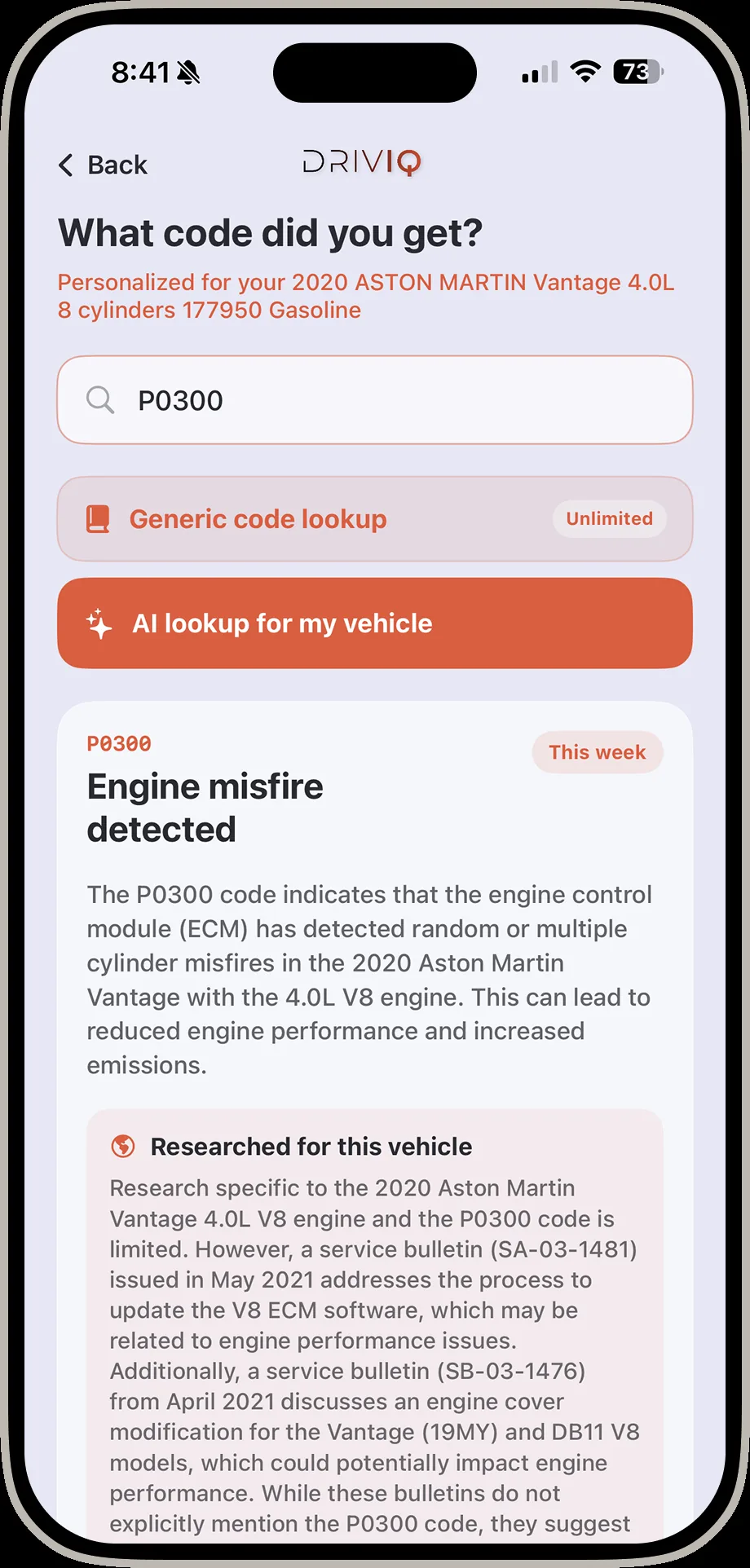
DrivIQ vehicle specific code result screen showing engine misfire detected with service bulletins for the exact vehicle
Vehicle-specific Upgrade to AI lookup and DrivIQ researches the code against your exact make, model, and engine — citing real service bulletins.
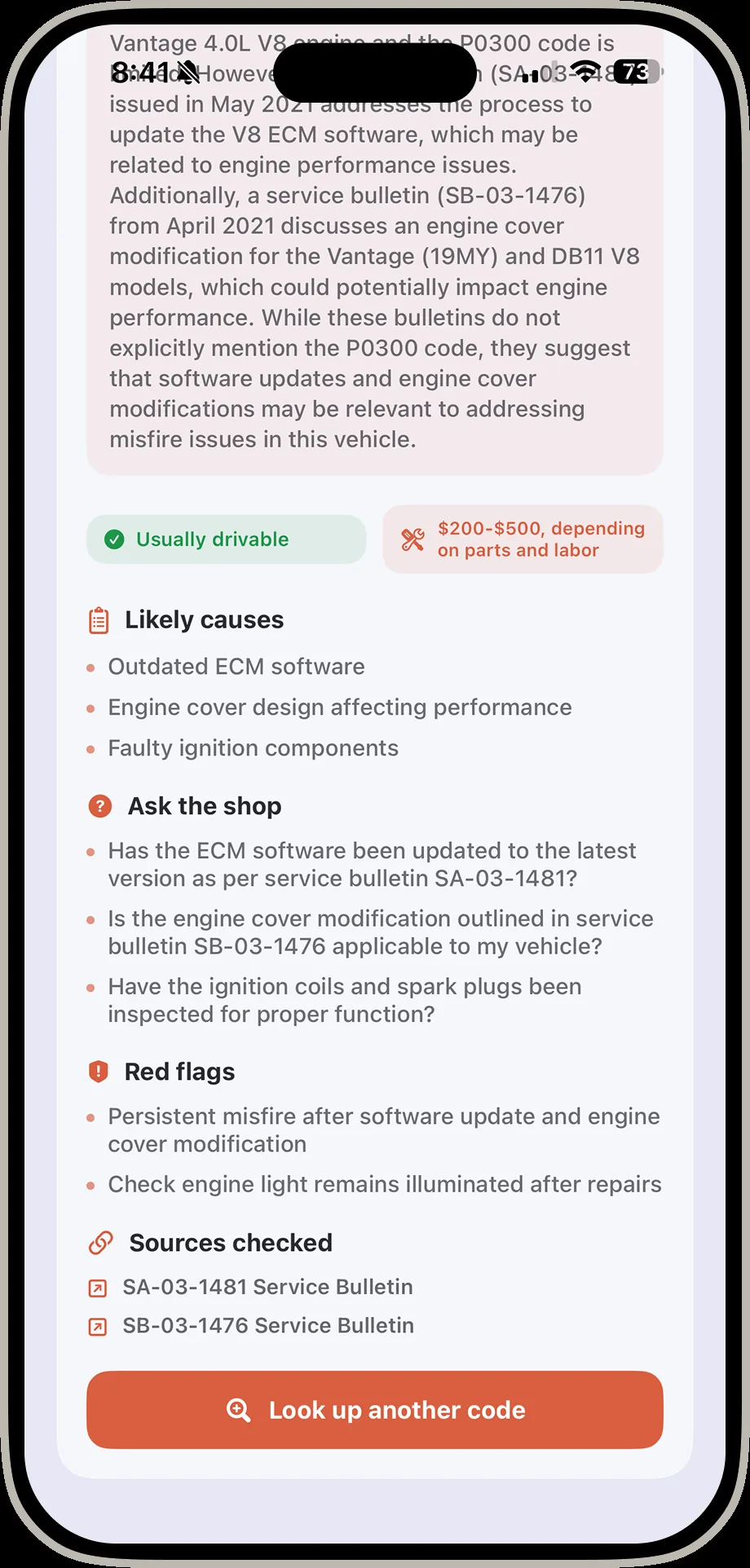
DrivIQ vehicle specific result screen showing red flags and sources checked including service bulletins
Sources checked Every vehicle-specific answer shows its work: red flags, what to ask the shop, and sources checked.
Ask DrivIQA live conversation about what your car is doing.4 screens
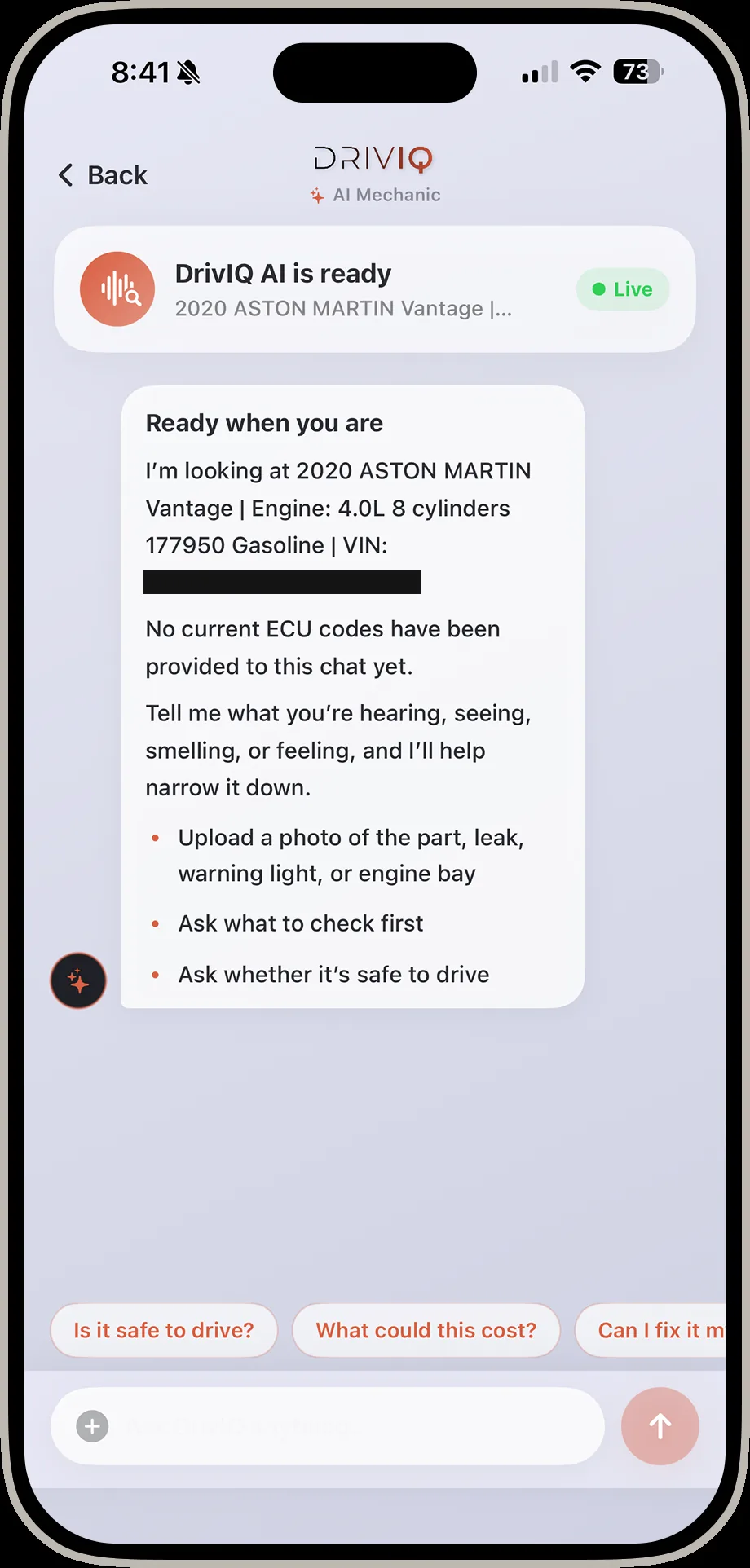
DrivIQ AI chat screen ready to answer questions about a 2020 Aston Martin Vantage
DrivIQ AI is ready Upload a photo of a leak, warning light, or engine bay and ask what to check first.
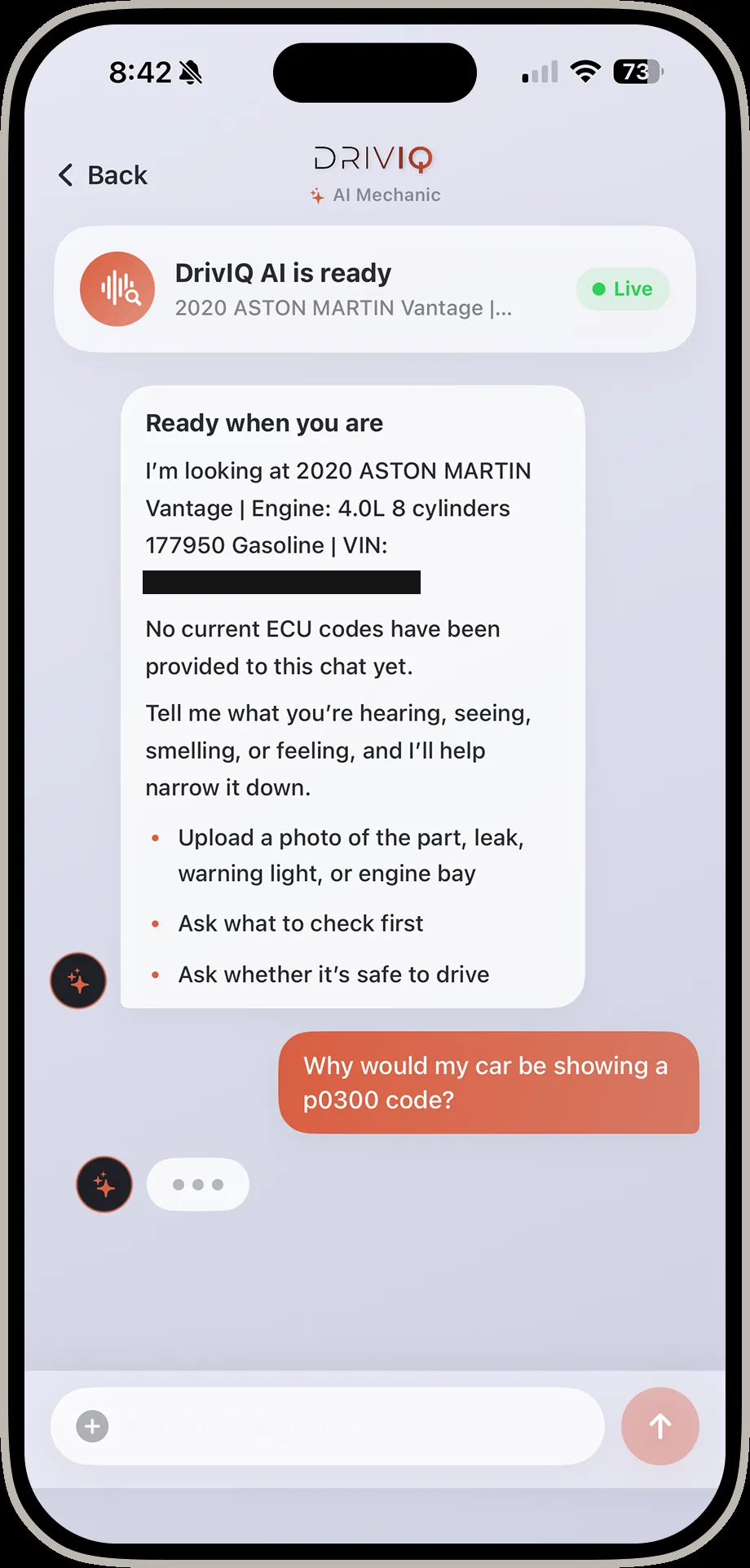
DrivIQ AI chat with a question asked about why a car might show a P0300 code
Ask anything Plain-language answers about symptoms, codes, or whether it's safe to drive.
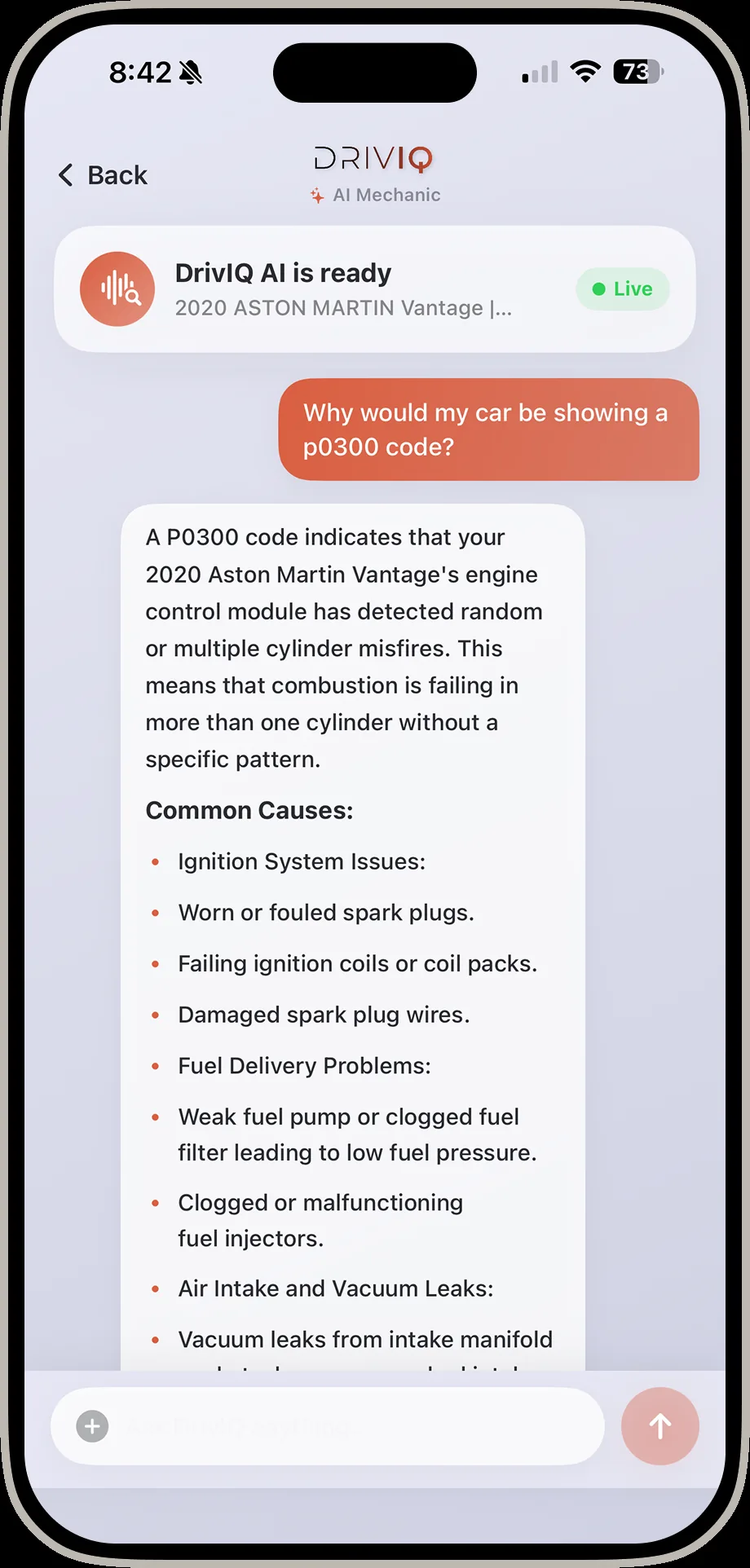
DrivIQ AI chat showing vehicle specific research on a P0300 code including likely causes and safety notes
Researched for this vehicle Answers are grounded in the exact vehicle — not a generic code database.
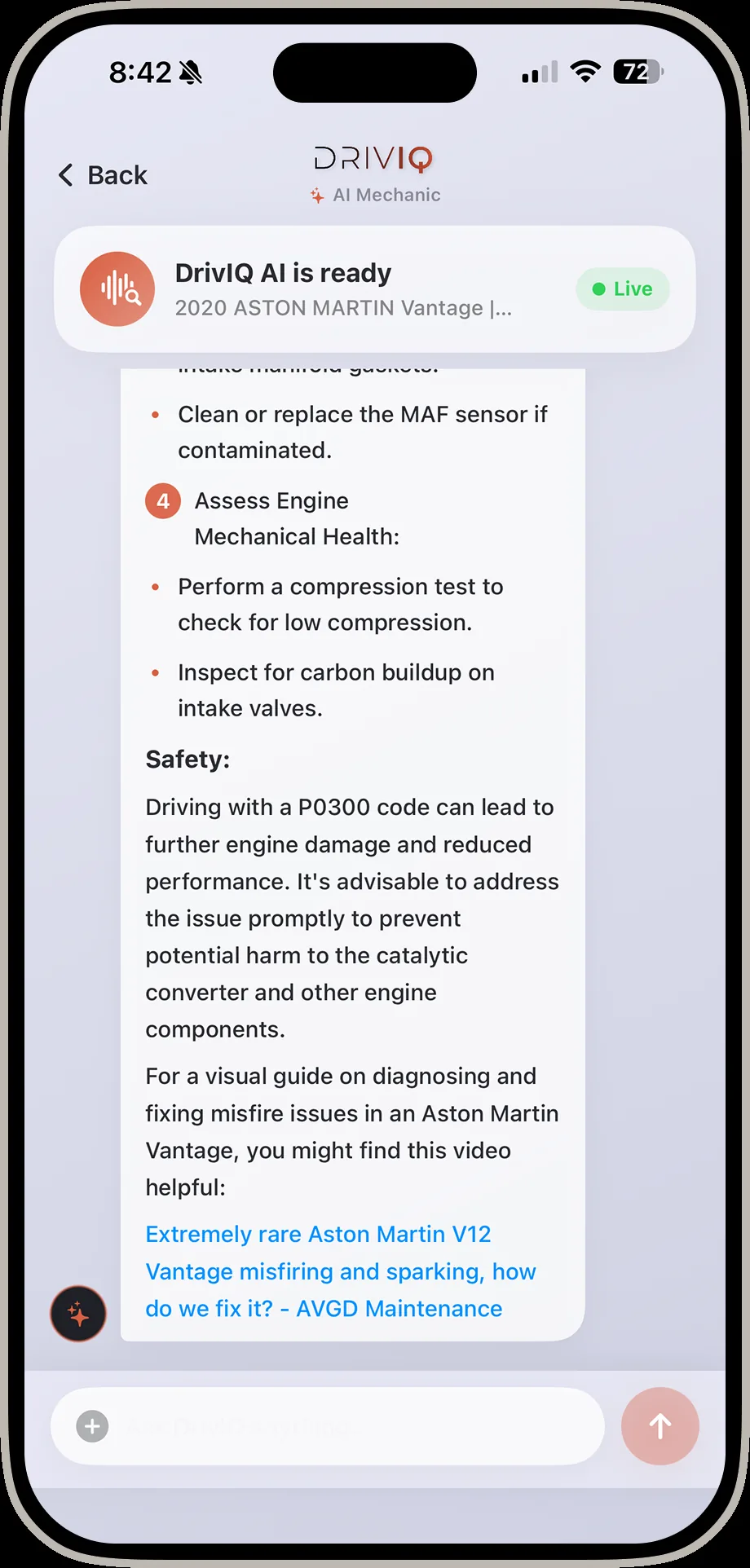
DrivIQ AI chat showing safety guidance and a cited repair video for an engine misfire
What to do next Clear next steps, safety guidance, and cited sources — not just a diagnosis.
Parts — Brake Pads ExampleFrom common job to verified listing to a saved parts list.6 screens
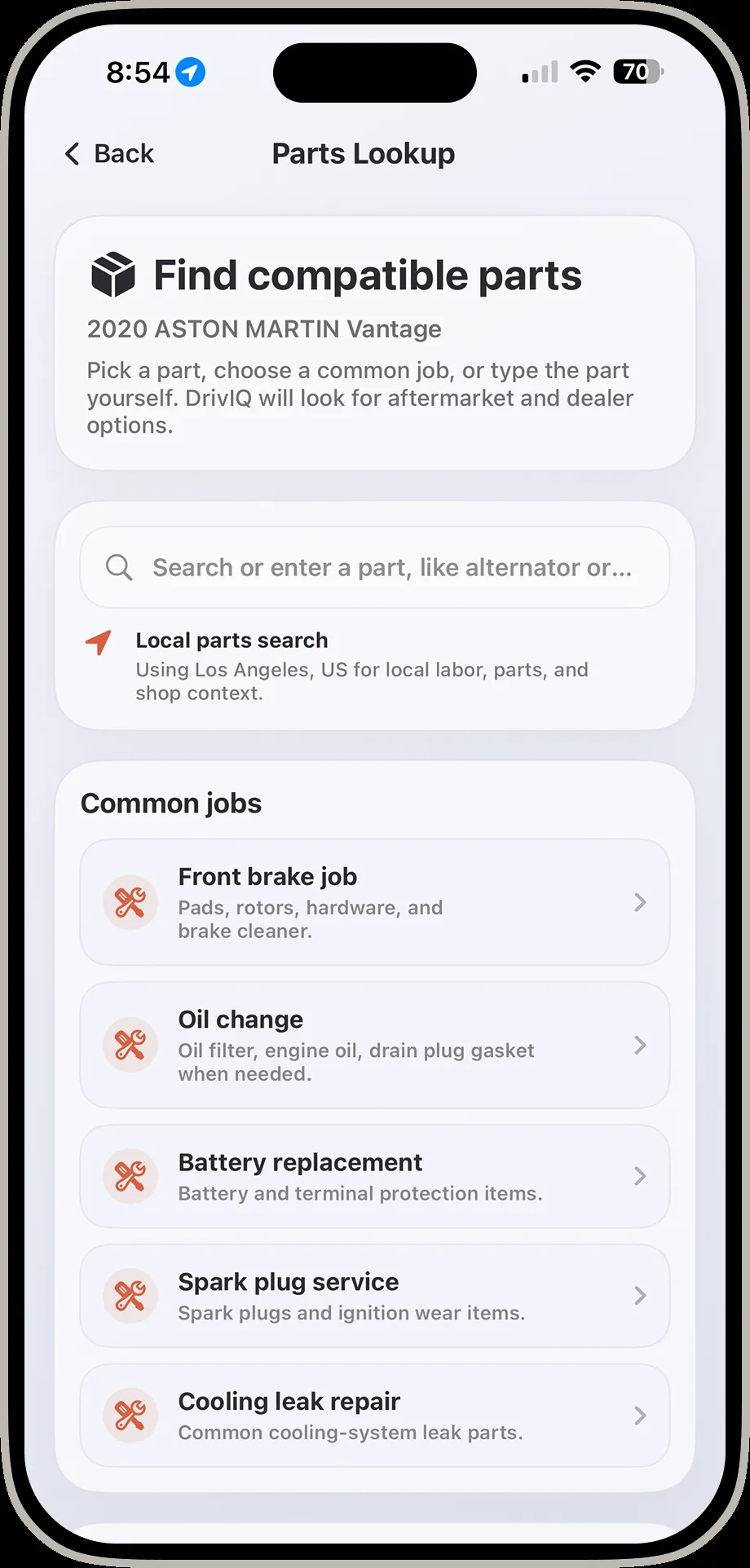
DrivIQ find compatible parts screen with common jobs including front brake job and oil change
Find compatible parts Search by part, or start from a common job like a front brake job.
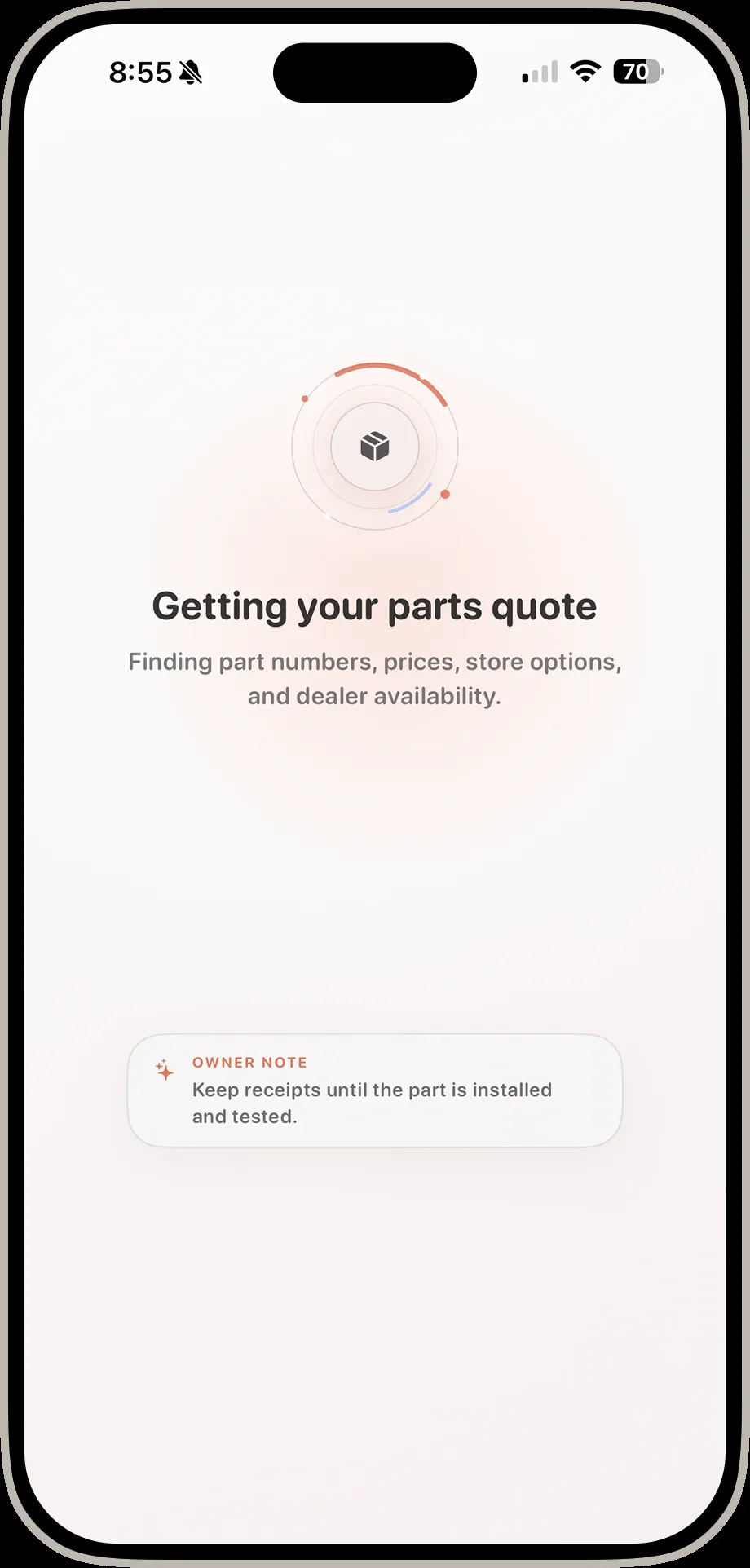
DrivIQ getting your parts quote loading screen
Getting your quote DrivIQ finds part numbers, prices, and dealer availability while you wait.
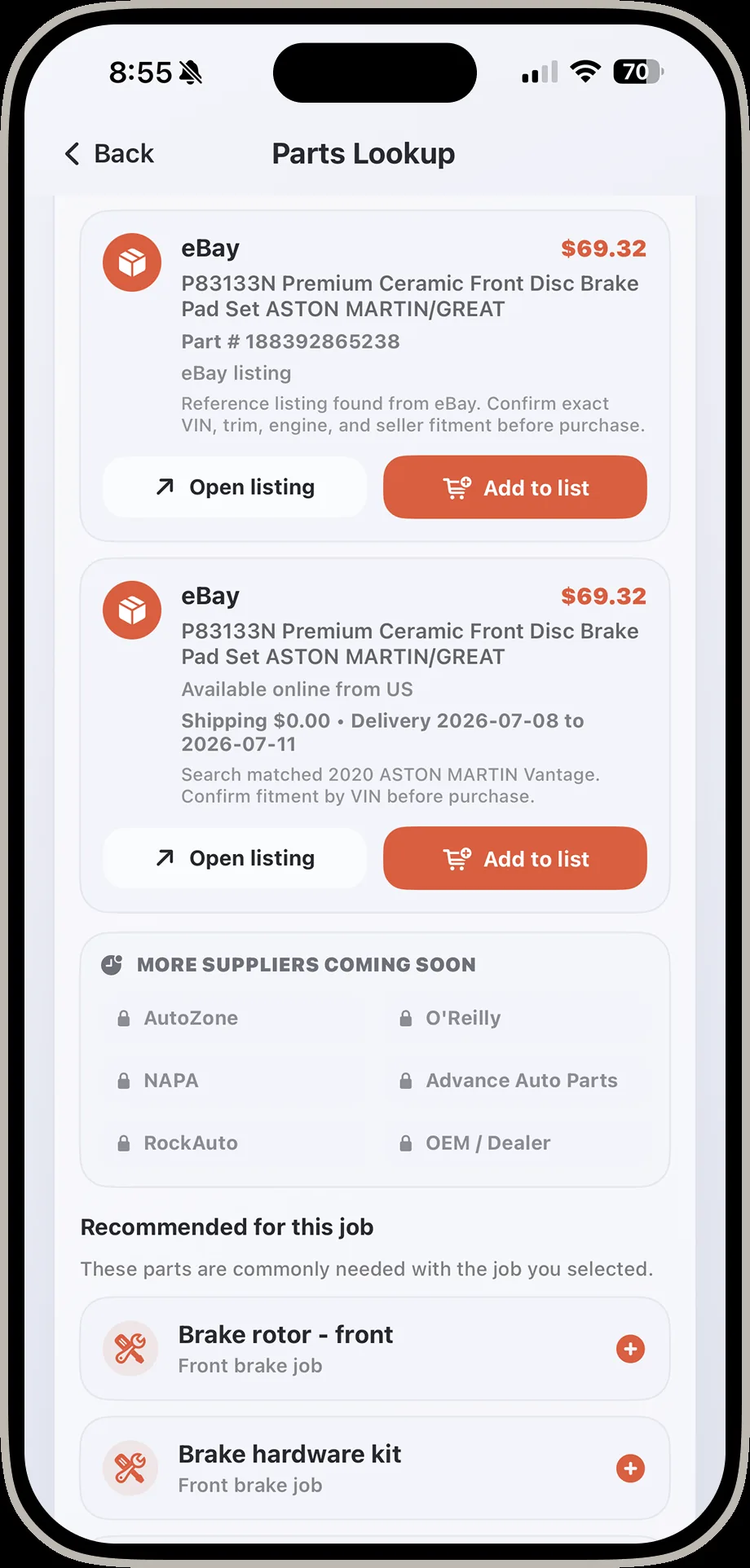
DrivIQ parts lookup results screen showing eBay brake pad listings with prices and recommended parts
Verified listings Real listings with prices, plus what else is commonly needed for the job.
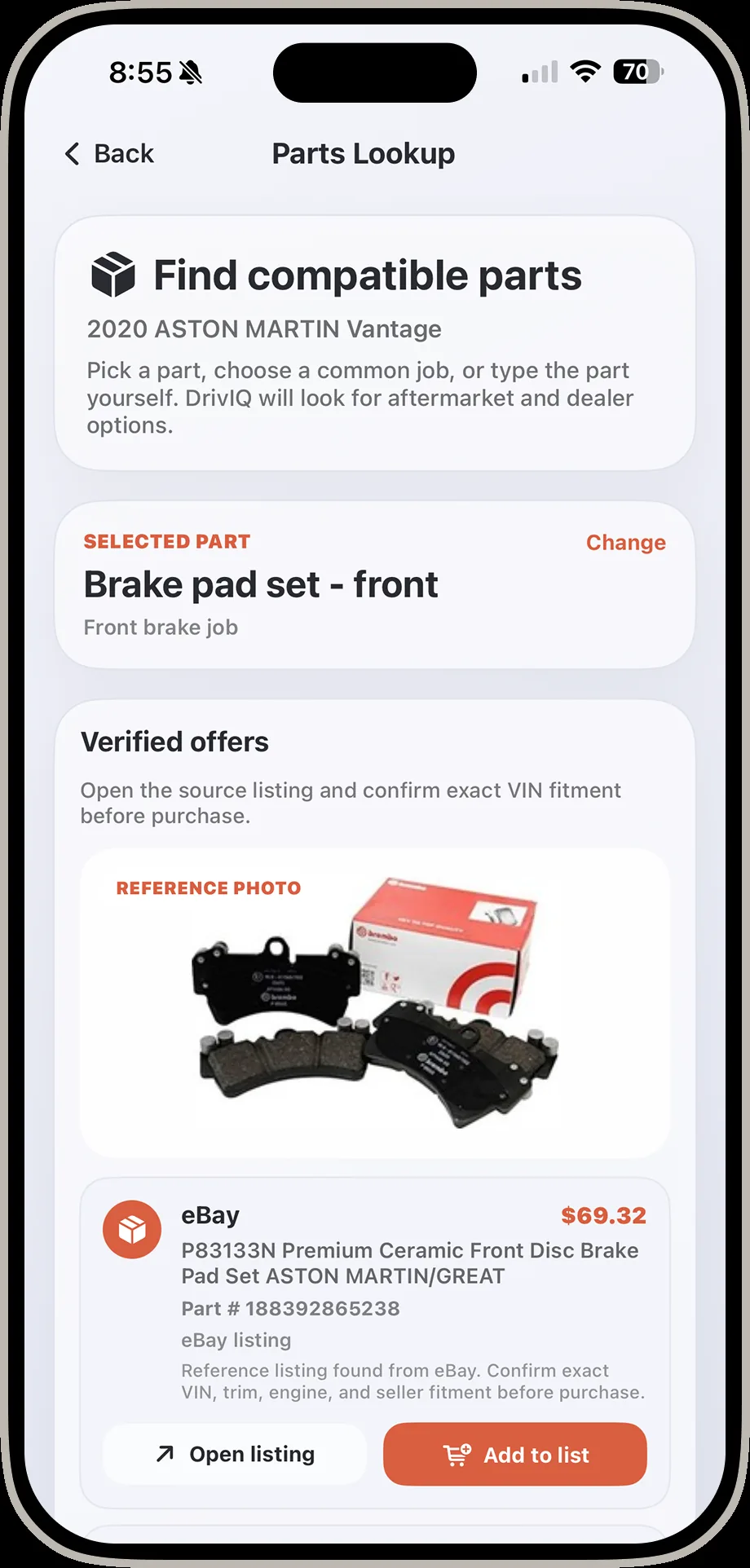
DrivIQ parts detail screen showing a selected brake pad set with verified offers and a reference photo
Confirm before you buy A reference photo and verified offer details before you commit.
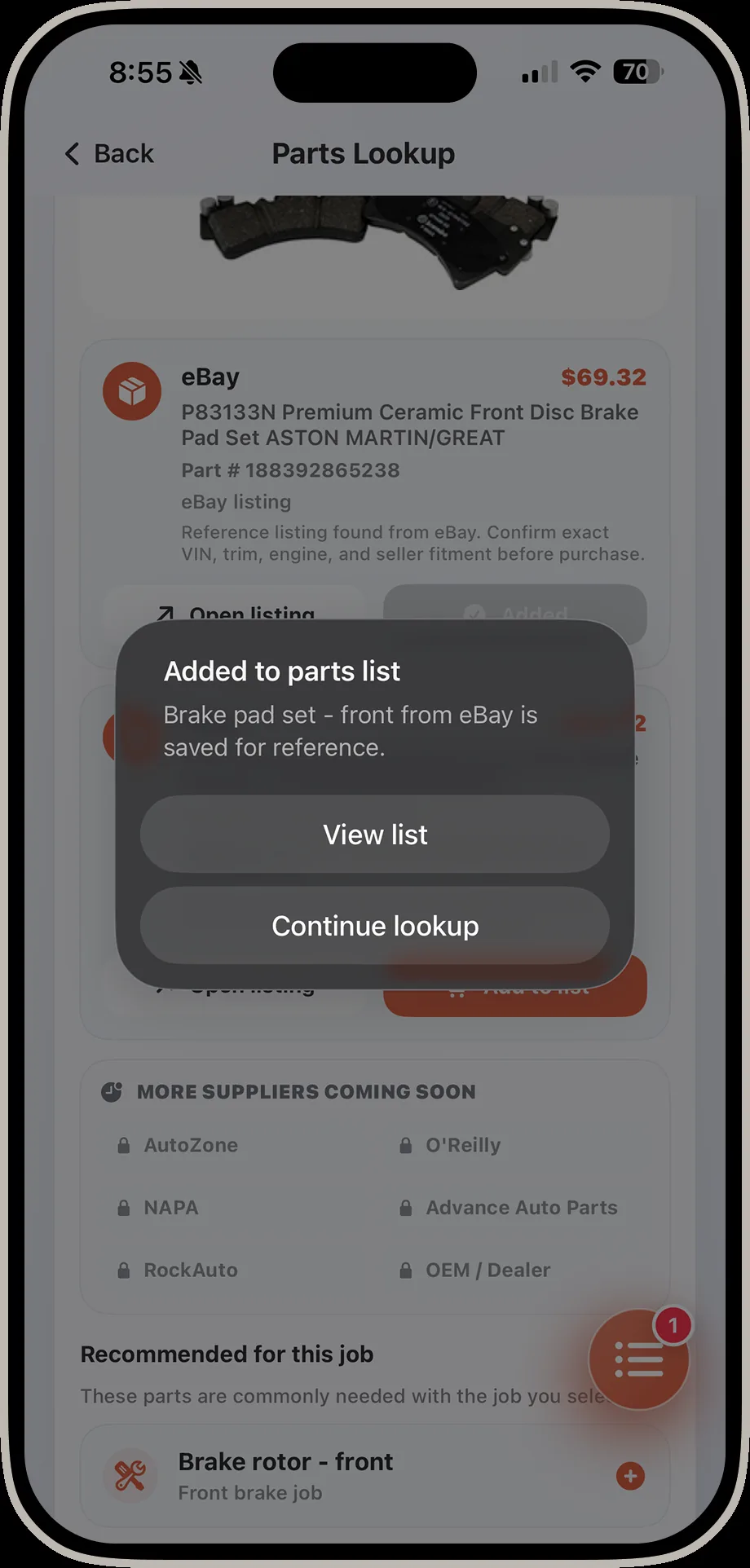
DrivIQ confirmation toast showing a brake pad set added to the parts list
Added to your list One tap saves it to a running parts list for the job.
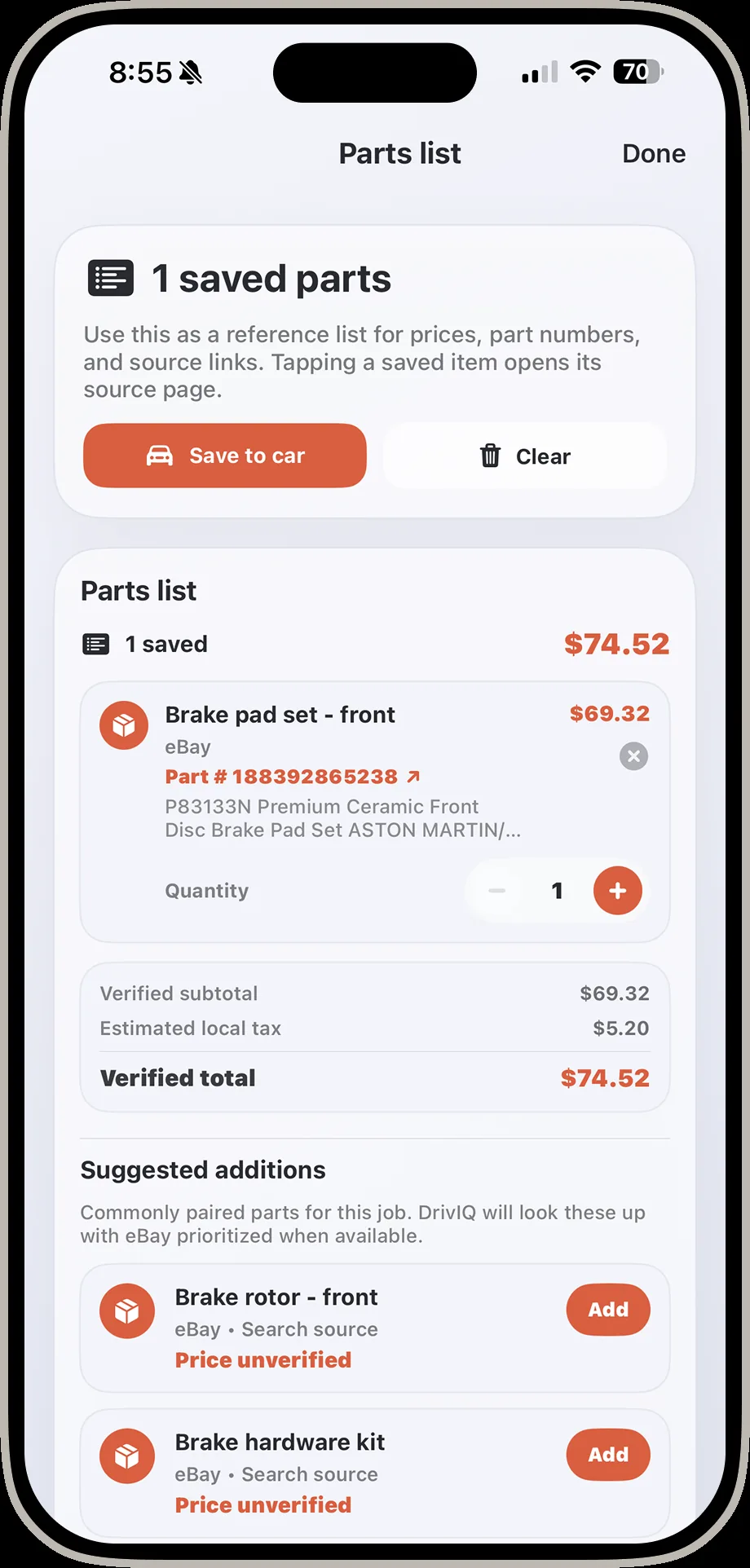
DrivIQ parts list screen showing one saved part with verified total and suggested additions
Parts list A running list with verified totals and smart suggestions for what else the job needs.
Smog & EmissionsKnow if you'll pass before you drive to the station.2 screens
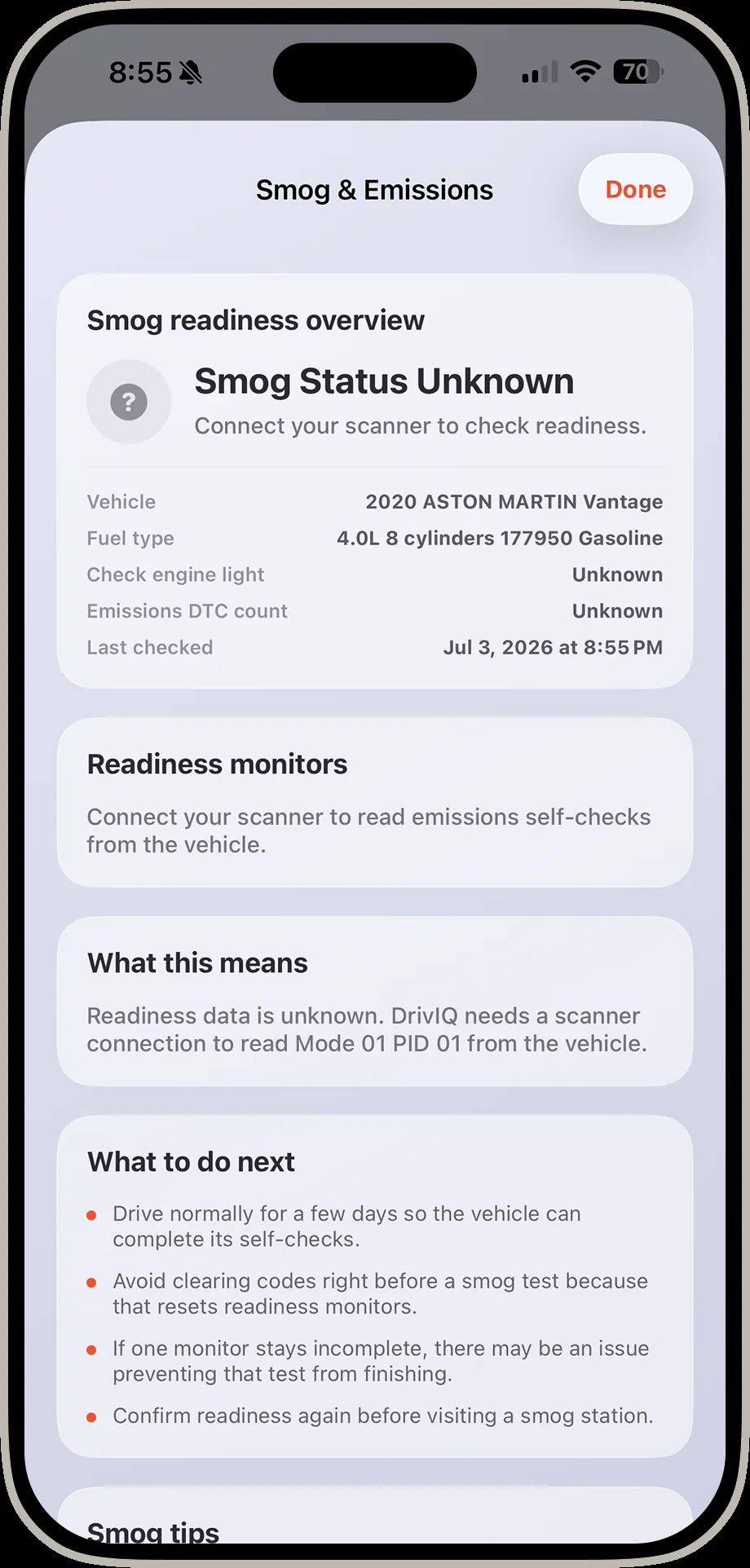
DrivIQ smog and emissions screen showing smog status unknown with readiness monitors
Smog readiness Readiness monitors, check engine light status, and last-checked date at a glance.
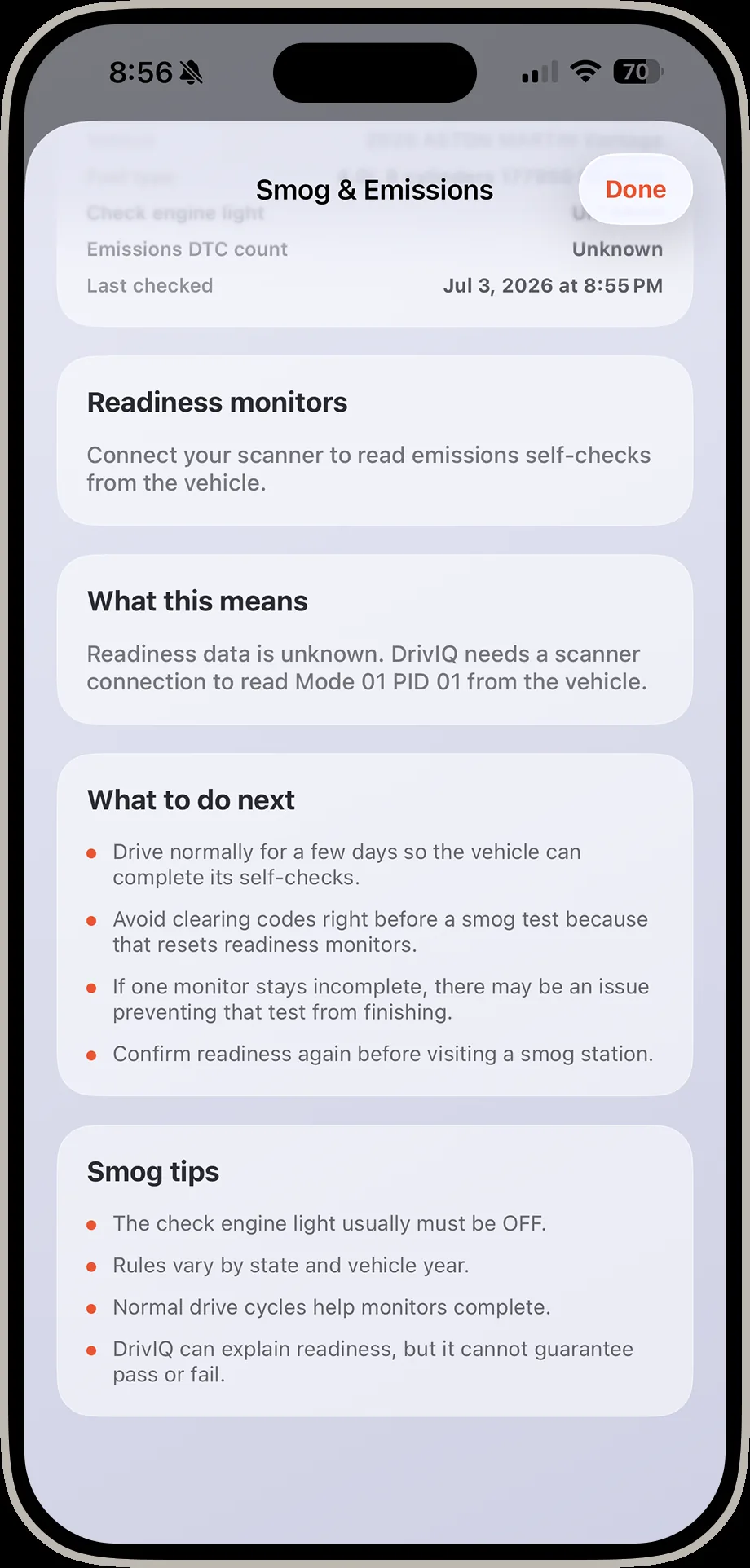
DrivIQ smog and emissions detail screen explaining what readiness data means and what to do next
What to do next Plain-language guidance on driving cycles and what resets a readiness monitor.

From warning light to informed next move.

The goal is not to replace a qualified technician. The goal is to make the driver less blind before money changes hands.

1. Connect and scanUse a compatible Bluetooth OBD-II adapter to read codes and supported live data.
2. Translate the problemDrivIQ explains what the code can mean, what to check, and what not to assume.
3. Review the decisionCompare symptoms, quote details, part context, and readiness checks in one place.
Report ready
P0302 Cylinder 2 misfire detected
Priority
Quote Labor and parts review for repair proposal
Review
Smog Readiness monitor context before inspection
Check

Watch a real quote get checked, end to end.
A 30,000-mile service on the 2020 Aston Martin Vantage — from "what's this going to cost me" to a shop-ready proposal with real shops, real ratings, and real contact details.
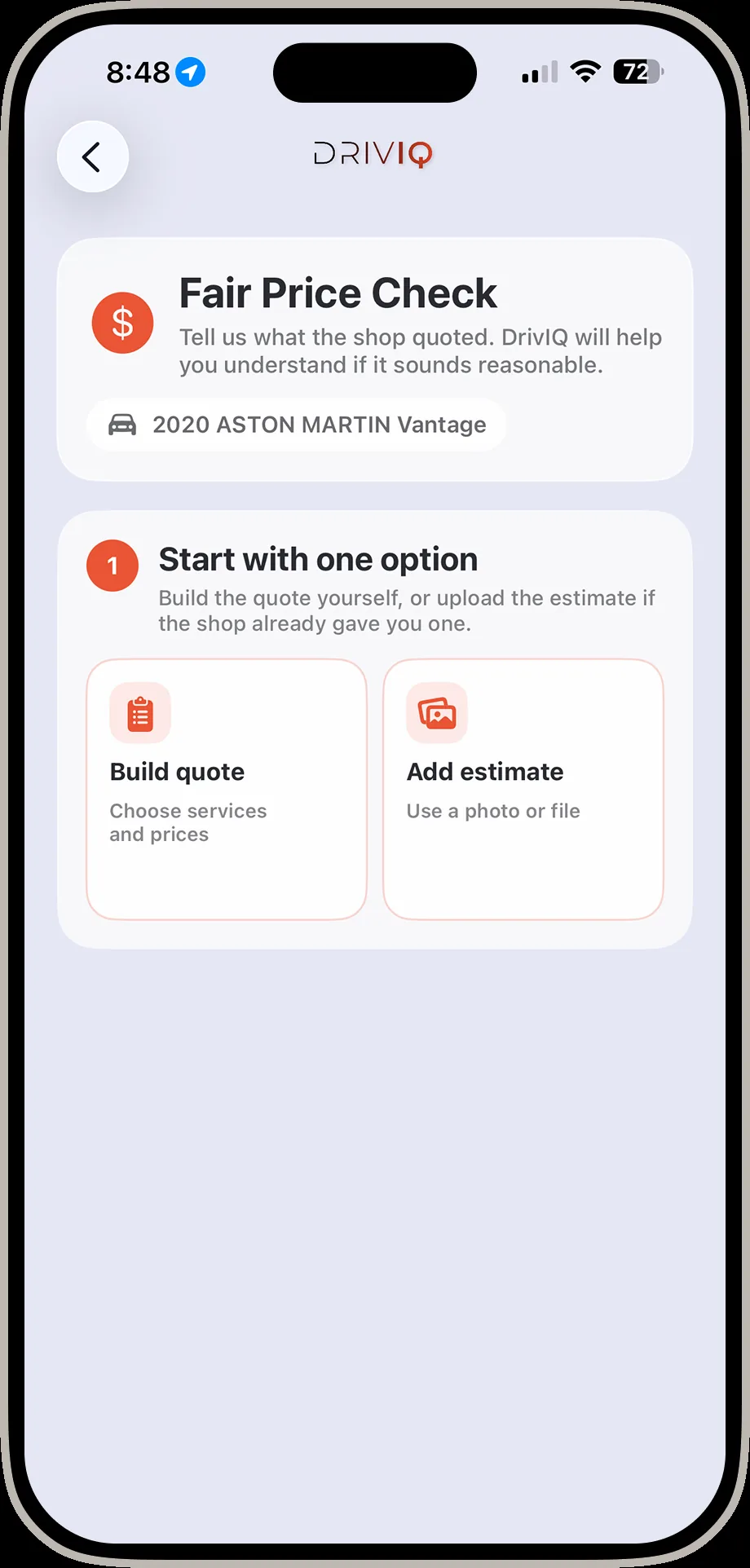
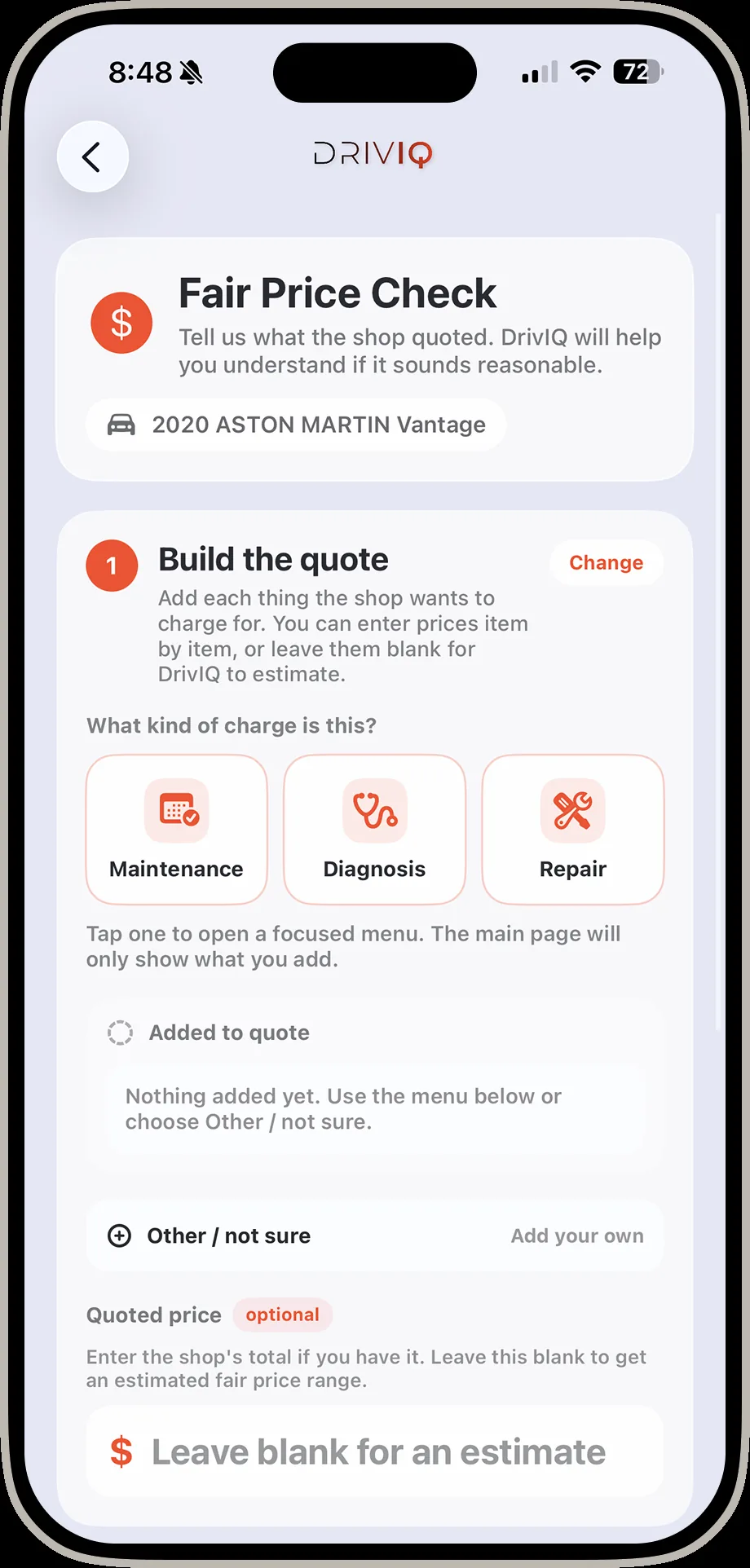
DrivIQ fair price check start screen for the 2020 Aston Martin Vantage
1. Start the checkBuild a quote yourself, or upload one from the shop.
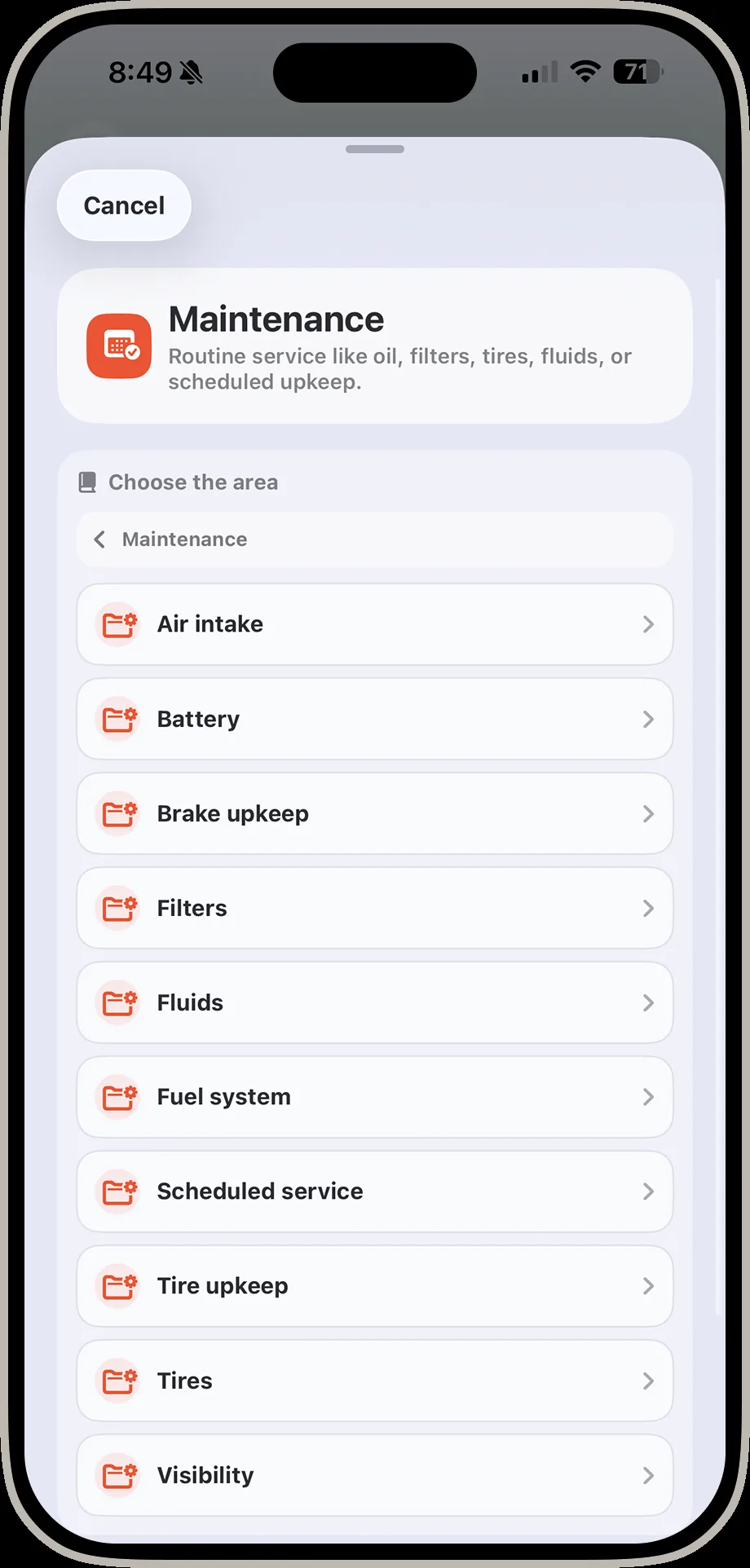
DrivIQ screen choosing the area of the vehicle including air intake, battery, brake upkeep, and scheduled service
2. Choose the areaAir intake, battery, brakes, fluids, or scheduled maintenance.
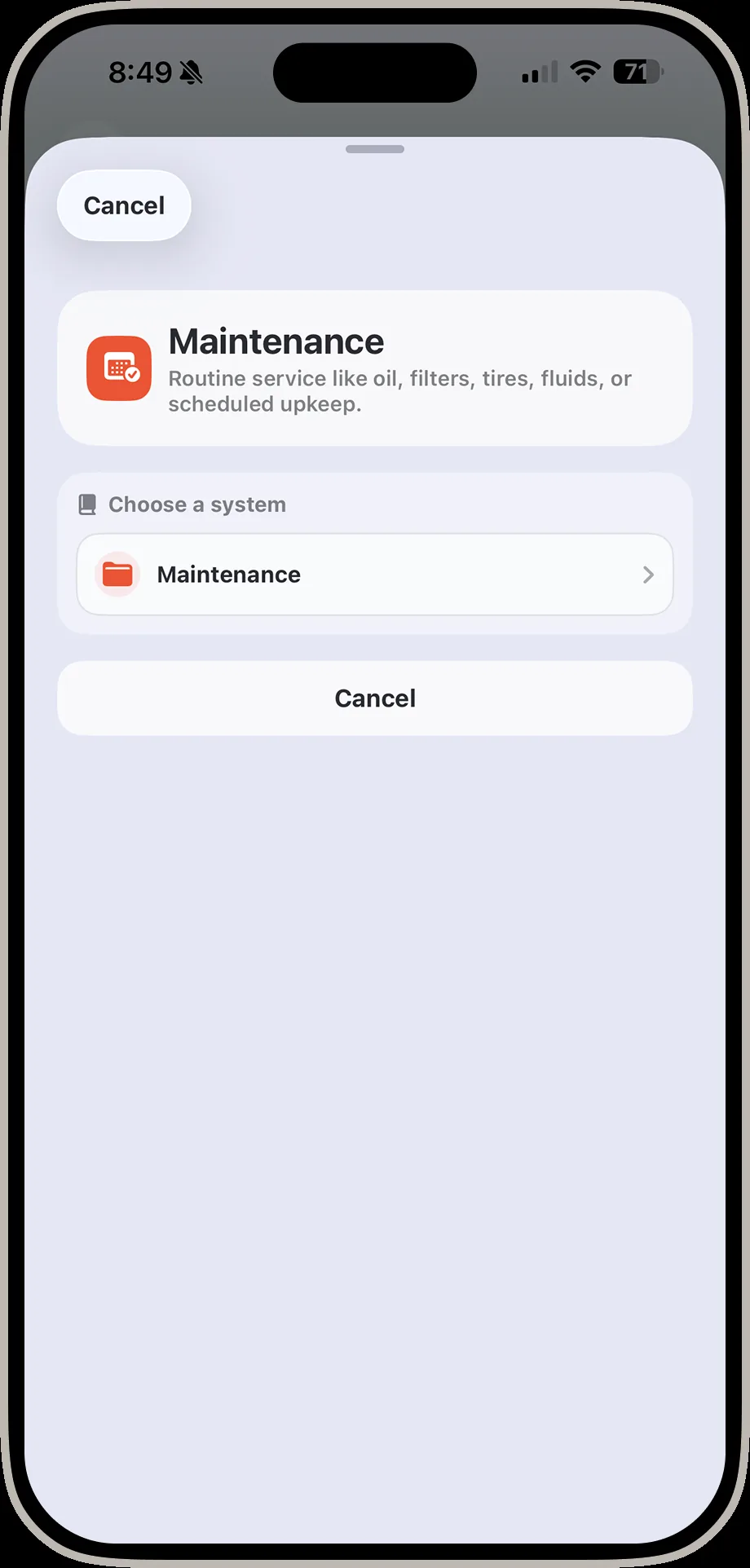
DrivIQ screen choosing a maintenance system to service
3. Pick the systemScheduled service selected for this Vantage.
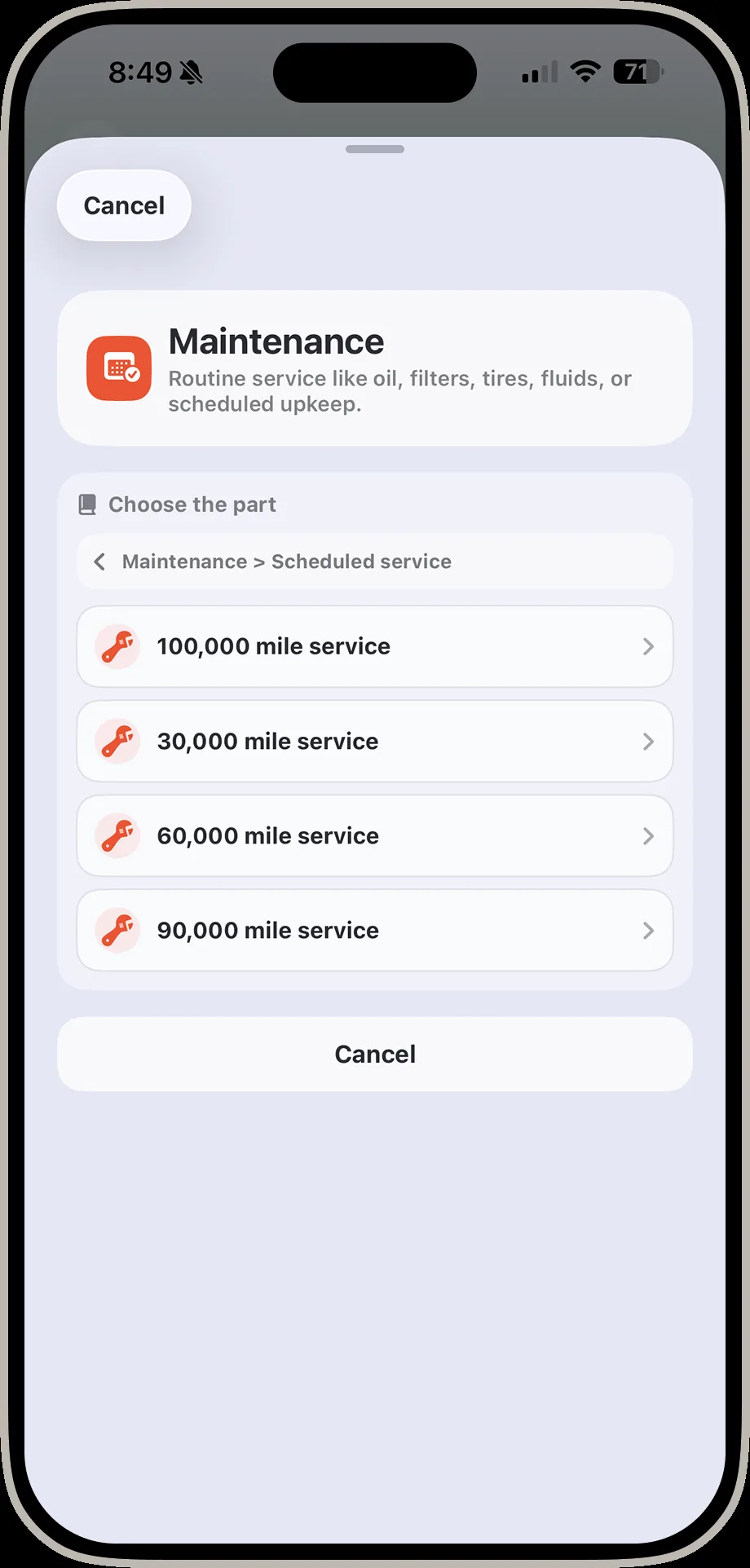
DrivIQ screen choosing the mileage interval including 30000, 60000, and 90000 mile service
4. Pick the interval30,000 · 60,000 · 90,000-mile service tiers.
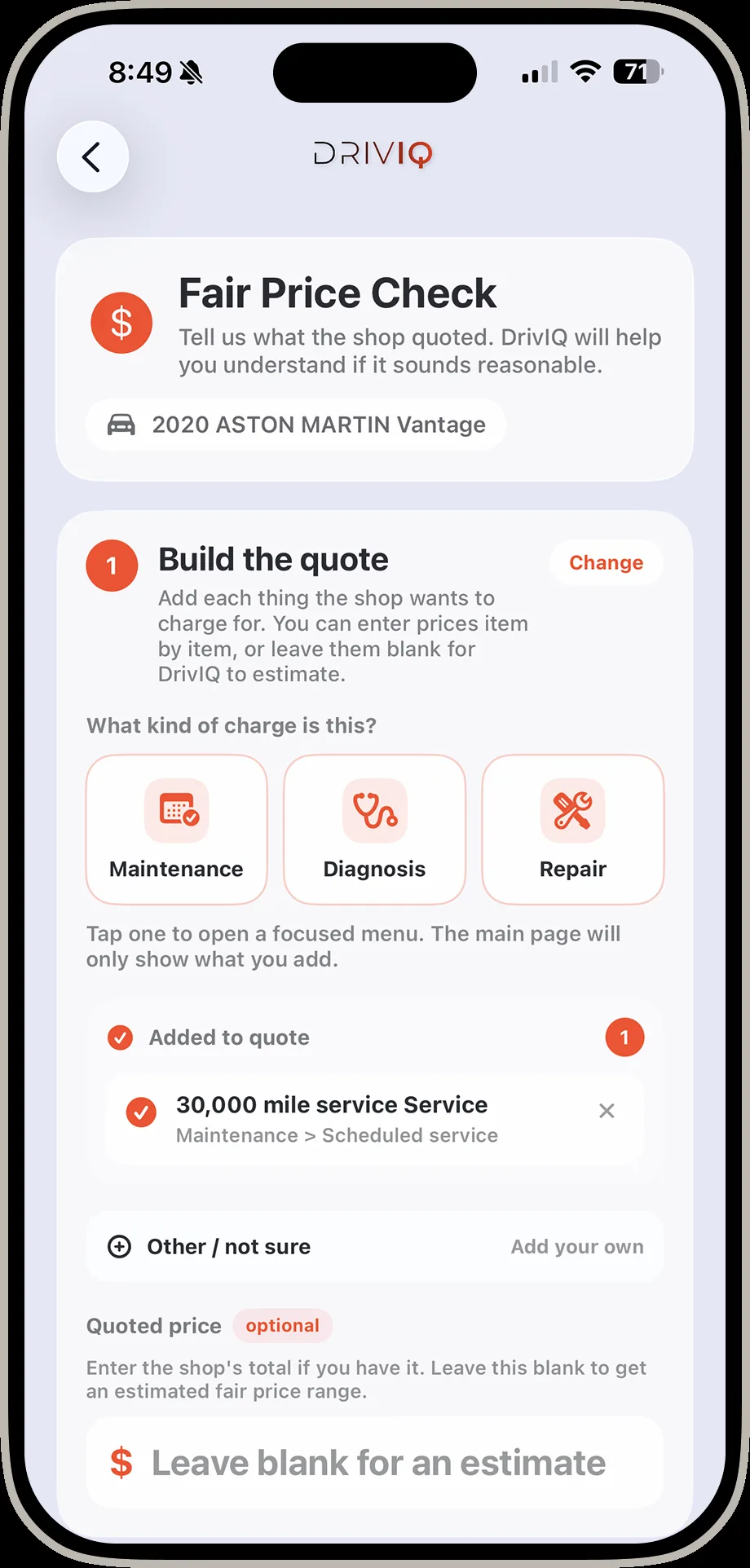
DrivIQ build the quote screen with 30000 mile service added
5. Build the quote30,000-mile service added · leave price blank for an estimate.
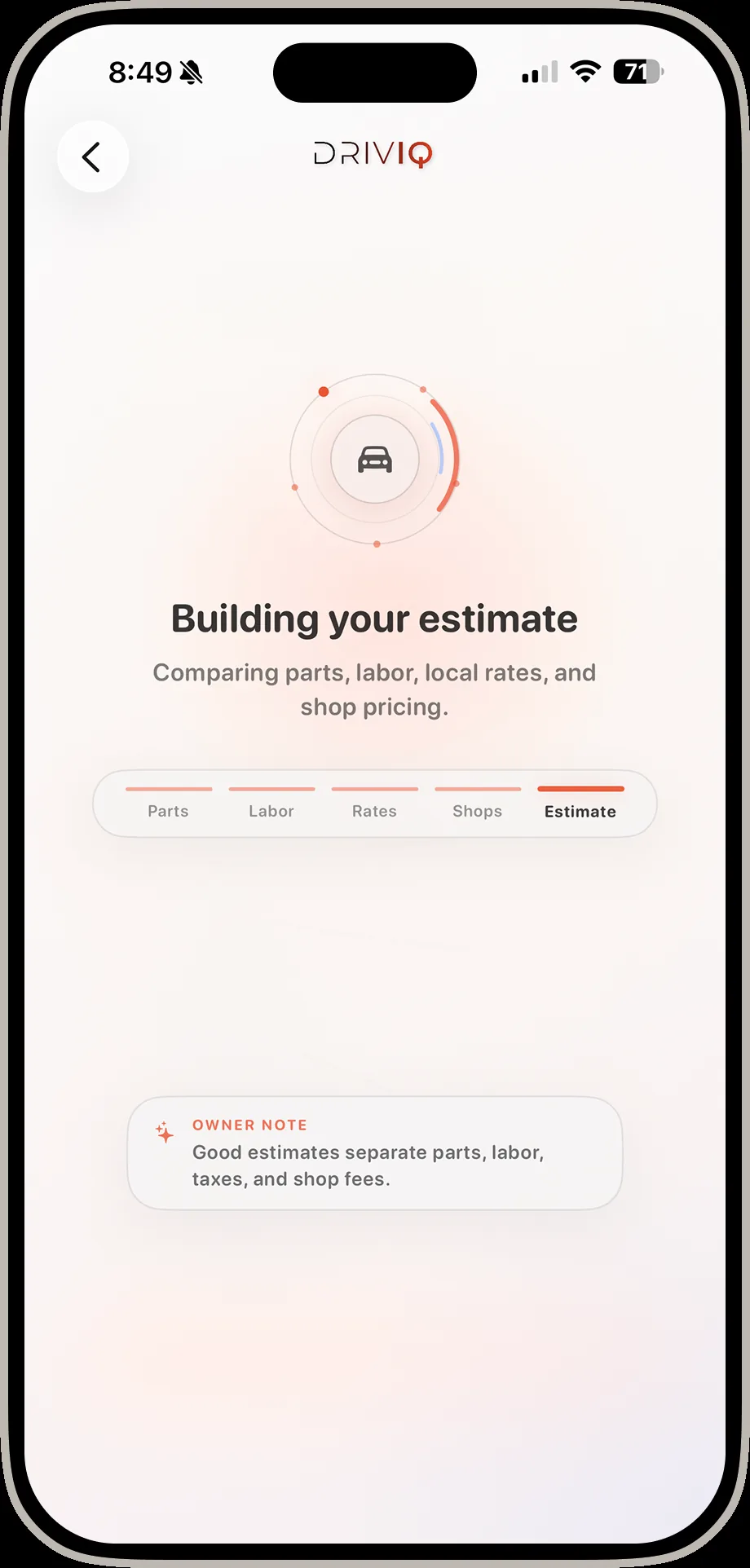
DrivIQ building your estimate loading screen comparing parts labor and local shop pricing
6. Building the estimateComparing parts, labor, local rates, and shop pricing.
DrivIQ fair price result screen showing a verdict of 1200 to 3500 dollars with a cited source link and questions to ask the shop
7. Get the verdict$1,200–$3,500, with the reasoning and a cited source — not just a number.
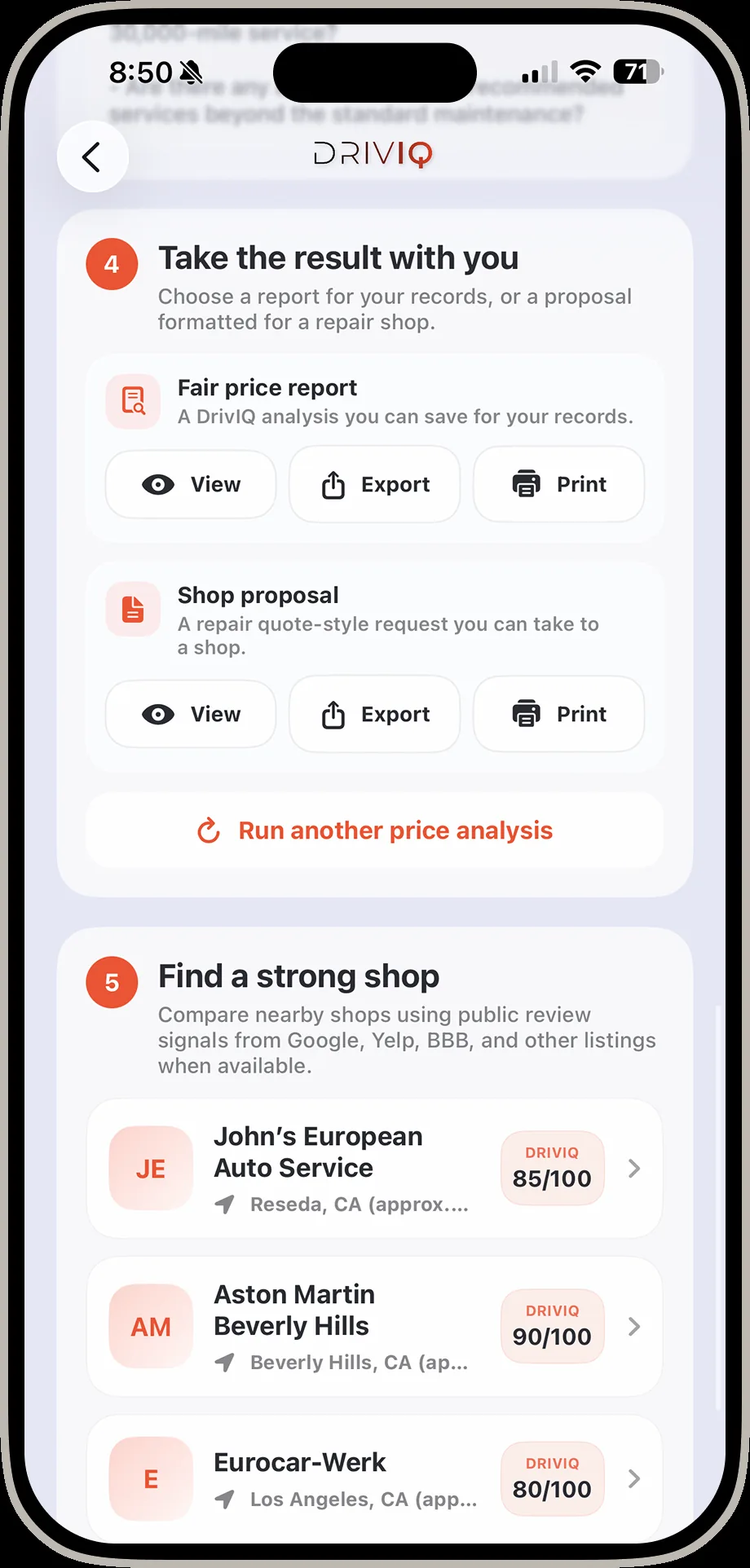
DrivIQ screen showing the fair price report and shop proposal export options, and nearby shops ranked by review score including John's European Auto Service
8. Take it with you & find a shopExport the report, then compare nearby shops ranked with public review signals.
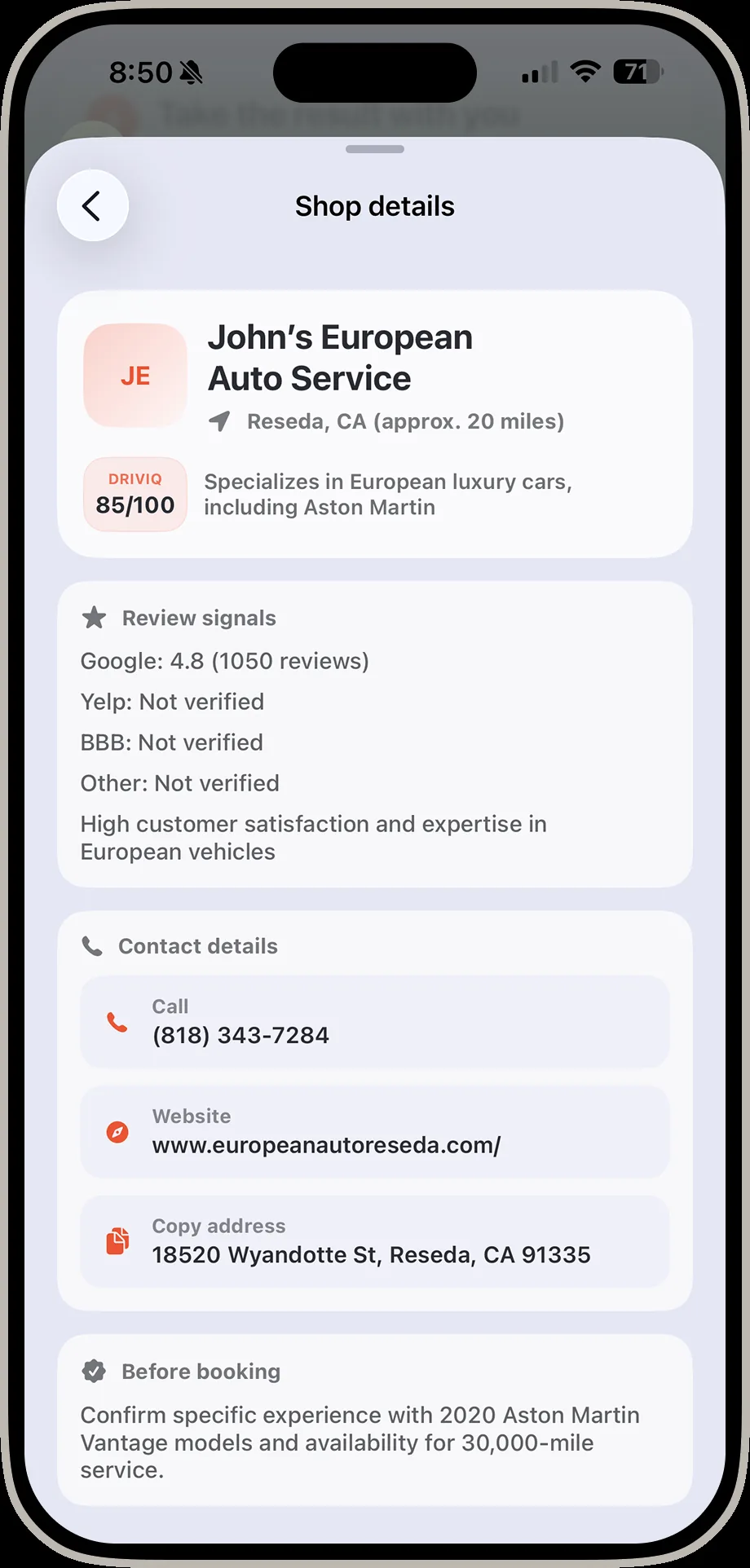
DrivIQ shop details screen for John's European Auto Service showing rating, reviews, phone, website, and address
9. Book with confidenceRating breakdown, phone, website, and address — ready to call.
AR Vehicle Assist
In development · not yet available

Point your camera at the engine bay. DrivIQ shows you what you're looking at.

This is the feature we're most excited about, and we want to be straight about where it stands: the footage on the right is a real, working prototype tracking a part live on an actual vehicle — not a render. It is not shipped in the app yet.

Live AR trackingThe prototype follows a selected part — here, an oil dipstick — as the camera moves around a real engine bay.

Built on real componentsComponent chips (oil dipstick, oil fill cap, battery terminal) are tied to markers tracked in 3D space, not a static overlay.

Why it mattersThe gap between "there's a code" and "I can find the part" is where most drivers give up. This closes it.

Shown for illustration of the direction we're building. Timeline and final feature set are not finalized. Want to follow progress or talk about it? Get in touch.

Made for drivers, not scan-tool experts

The interface is written around real questions: can I keep driving, what should I ask the shop, what might this cost, and what should I check next?

Clear boundaries

DrivIQ provides educational vehicle information and decision support. It does not replace certified repair, emergency service, inspection authorities, manufacturer guidance, or professional judgment.

Questions people actually ask.

If something's still unclear after that, use the contact link below — a real answer beats a guess.

For drivers
Do I need an OBD-II scanner to use DrivIQ?

No. A compatible BLE OBD-II adapter (like a Veepeak) unlocks live scans, code reads, and vehicle-specific diagnostics, but you can add a vehicle, look up a code manually, run a fair price check, or search for parts without one.

What vehicles does DrivIQ work with?

Any car, truck, or SUV with a standard OBD-II port — virtually every vehicle sold in the US since 1996. Your garage can hold multiple vehicles, each with its own VIN, engine, and diagnosis history.

Is DrivIQ a replacement for a mechanic or repair shop?

No. DrivIQ provides educational vehicle information and decision support so you're less blind before money changes hands. It does not replace certified repair, emergency service, inspection authorities, manufacturer guidance, or professional judgment.
How is the "fair price" range calculated?

DrivIQ compares the parts, labor hours, and local shop rates tied to your specific code and vehicle, then returns an estimated range with the reasoning behind it — plus follow-up questions worth asking the shop. It's a target for negotiation, not a guaranteed quote.

What's the difference between the free code lookup and the AI one?

The free lookup gives you the same generic OBD-II explanation any code reader gives. AI lookup researches the code against your exact year, make, model, and engine — citing real service bulletins and known patterns for that vehicle, not just the code definition.

Is my vehicle data and VIN kept private?

Your garage, scan history, and reports are tied to your account, not shared publicly. See the Privacy Policy for the full detail on what's collected and how it's used.

Can I save or export what DrivIQ finds?

Yes. Any finding can become a Fair Price Report or a shop-ready Repair Proposal — both viewable, printable, and exportable as a PDF. See real examples above.

Is the AR Vehicle Assist feature in the app right now?

Not yet. The footage shown on this site is a real working prototype tracking a part on an actual vehicle, but AR Vehicle Assist is still in development and isn't available in the current app.

For investors & partners
Is this a working product or a concept?

Working product. Every screen shown on this site — home, garage, scanning, reports, tools, code lookup, Ask DrivIQ, fair price, parts, and smog — is a real screenshot from the running iOS app, and the Fair Price Report and Repair Proposal PDFs are real generated output, not mockups. AR Vehicle Assist is the one clearly-labeled exception: a working prototype, not yet shipped.

What makes this different from a generic OBD-II reader app?

Most code readers stop at a generic definition. DrivIQ researches the code against the specific vehicle, cites service bulletins and sources, prices repairs against real local labor and parts data, and helps find the part or the shop — then packages the whole thing into a document a shop will actually take seriously.

What's the business model?

DrivIQ is currently in early access while the core product is validated with real drivers. The clearest paths we see are premium diagnostics, parts and repair-shop referral partnerships, and shop-facing tools built on the same data — happy to go deeper on specifics directly.

Who's behind DrivIQ?

DrivIQ is built by R.E. Labs LLC. For team background, roadmap detail, or a live walkthrough, reach out directly — that conversation is more useful than anything we could summarize here.

How do I get in touch about investing or partnering?

Email rob@driviq.tech directly, or use the contact link below. Real conversations beat a pitch deck.

Have a vehicle data, repair, or partnership question?

Email rob@driviq.tech